
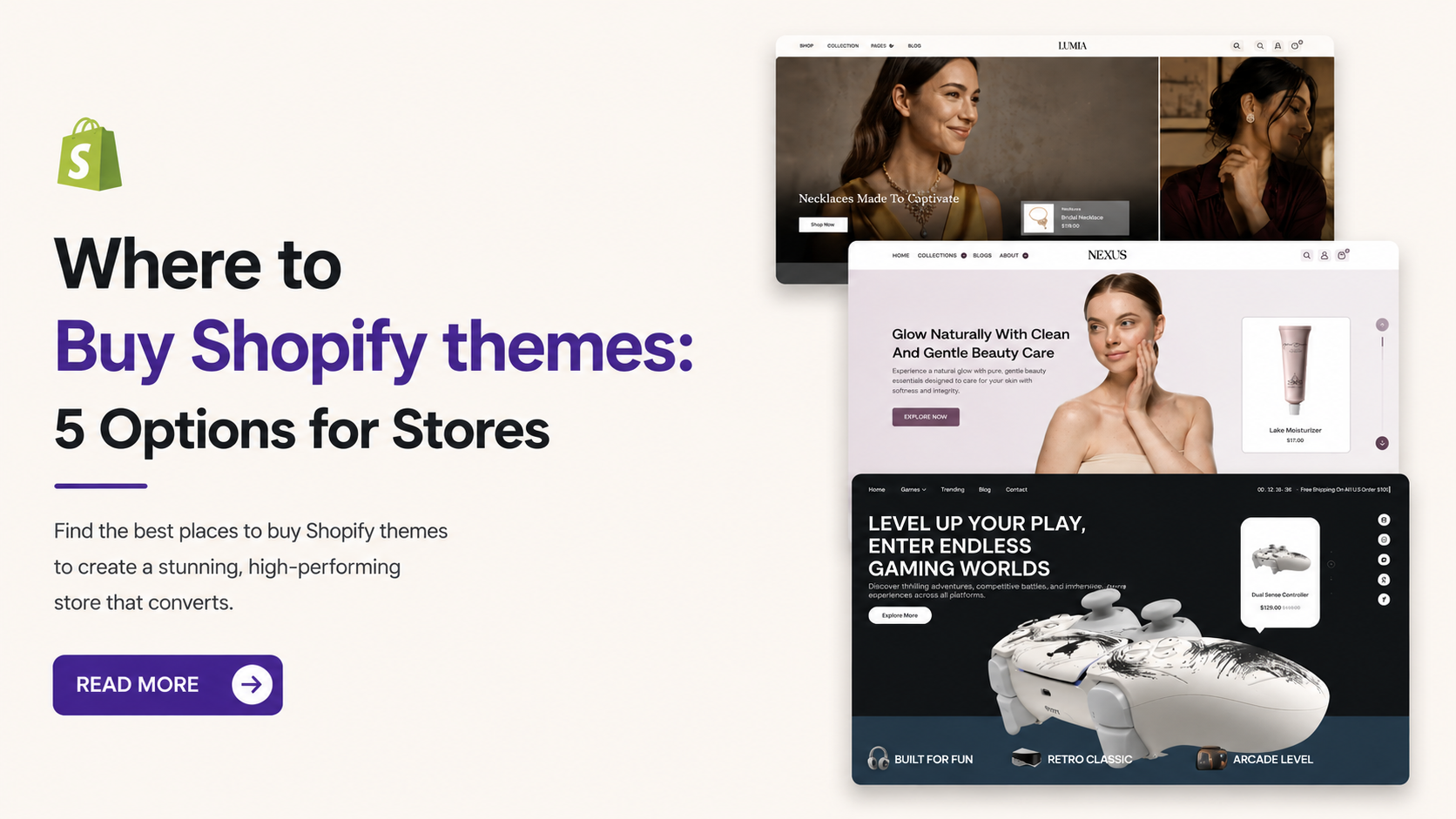
A well-designed Shopify storefront should help customers understand your products, browse collections, and make purchasing decisions without unnecessary effort. The theme you choose plays an important role in creating that experience, from how products appear on the homepage to how shoppers navigate product pages and add items to their carts. If you want to buy Shopify themes, start by considering your industry, product catalog, design preferences, and required ecommerce features. Premium Shopify themes often offer advanced customization options, flexible layouts, and built-in shopping features to help create a professional online store. A fashion brand may need layouts that highlight clothing collections, while a food business may benefit from organized product categories and clear product information.
Choosing a theme that fits your business can also reduce the amount of customization required before launch. This guide covers where to purchase Shopify themes, what to check before buying, and options for different ecommerce businesses.
Where Can You Buy Shopify Themes?
Shopify merchants have several options when searching for a suitable storefront design. The right source depends on the type of theme you need, your budget, and the level of support or customization you expect.
1. Shopify Theme Store
The official Shopify Theme Store is a starting point for merchants who want to compare storefront designs within Shopify’s theme marketplace. You can browse available themes, inspect their features, and preview layouts before deciding which option suits your store. Before purchasing, review the theme’s supported features, developer information, documentation, and licensing terms. Check whether the design can accommodate your product catalog and required storefront functionality.
2. Independent Shopify Theme Developers
Independent developers offer themes designed around different industries, brand identities, and merchandising requirements. These options may appeal to merchants looking for a particular visual style or a combination of built-in features. Review the developer’s reputation, update policy, support arrangements, and compatibility information before making a purchase. If you rely on specific apps or custom functionality, confirm that the theme supports your requirements.
3. Ecommerce Theme Providers
Specialized ecommerce providers offer theme collections for businesses with different product categories and storefront goals. SAMS IT Services is one option to consider when comparing best Shopify themes for beauty products , fashion, gaming, food, and wellness businesses. You can browse the best Shopify themes to compare their available designs. Review each theme’s demo, features, and pricing before choosing one for your store.
What Should You Check Before Purchasing a Shopify Theme?
Use this checklist to review your shortlisted options before completing a purchase.
- Theme demo: Have you tested the homepage, product pages, collections, navigation, and cart?
- Product catalog: Does the layout support your products, categories, and variants?
- Mobile experience: Are text, images, menus, and purchasing controls easy to use?
- Customization: Can you make essential brand and layout changes?
- Performance: Have you checked loading behavior and tested important pages?
- Integrations: Does the theme support your required apps and storefront functionality?
- Documentation: Are setup instructions and feature details available?
- Support and updates: Do you understand the developer’s support and maintenance policy?
- Pricing and license: Are the purchase terms and permitted use clear?
- Future requirements: Can the theme accommodate your expected product range and store development plans?
Top Places to Purchase Shopify Themes
When you buy Shopify themes, consider how well each design supports your products, brand identity, and customers’ shopping needs. The following options offer different design directions for merchants evaluating their next Shopify theme.
1. Nexus Beauty Shopify Theme – For Beauty and Personal Care Stores
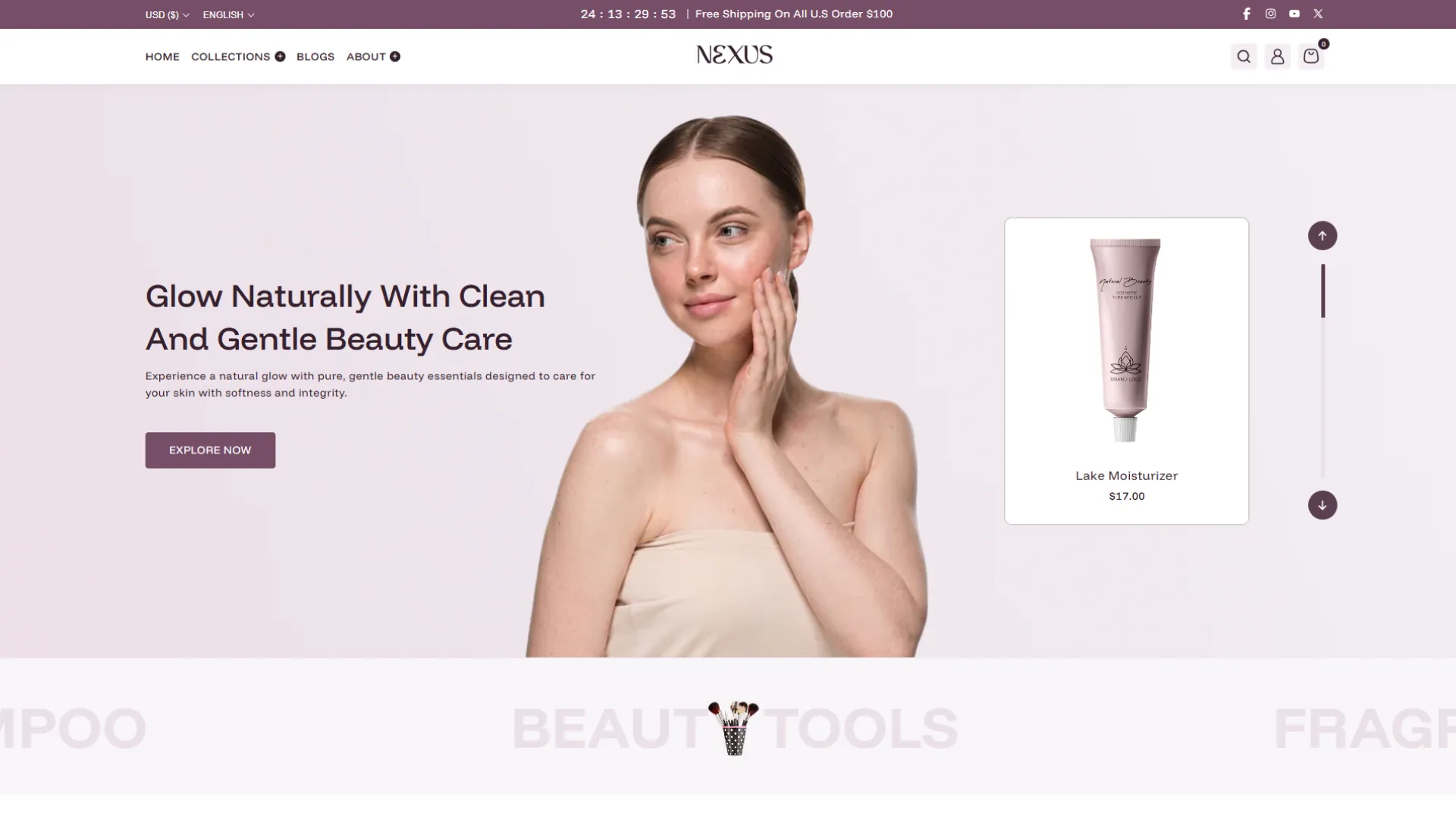
Beauty and personal care stores often sell products with different ingredients, benefits, shades, and variations. The Nexus Beauty Shopify Theme is designed for businesses selling skincare, cosmetics, makeup, and personal care products. Its flexible layout helps merchants organize product categories, highlight featured items, and present brand information in a clear format.
With more than 25 customizable sections, merchants can arrange their storefront to suit their product range and branding. Product swatches, search, and filtering options can make it easier for customers to browse available products, while promotional sections help highlight new arrivals and selected offers. These features can be useful for stores with growing catalogs that need a consistent layout across different product categories.
Pricing: $270
Key Features
- 25+ customizable sections for different storefront layouts.
- Featured product displays for highlighting selected items.
- Beauty collection layouts for organizing product categories.
- Brand content sections for sharing product information.
- Product swatches and filtering options for product discovery.
2. Vestra Fashion Shopify Theme – For Clothing and Apparel Brands
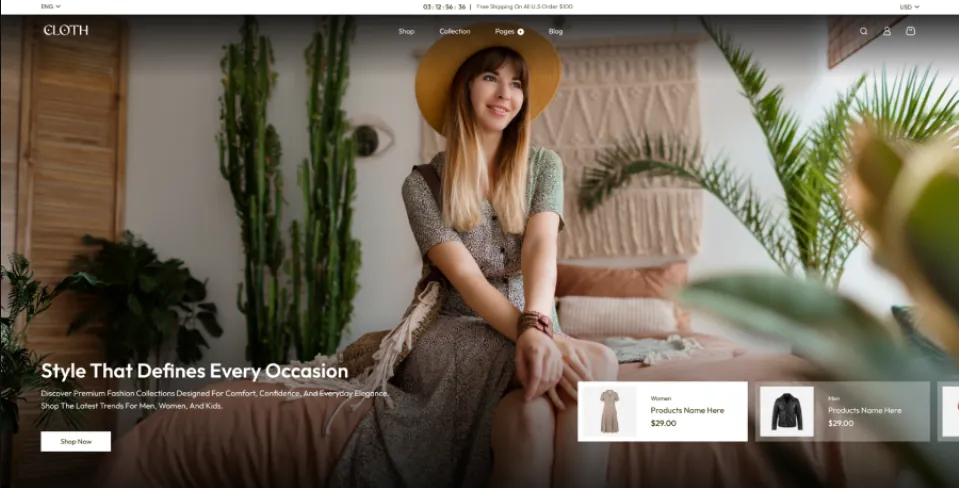
Fashion retailers need a storefront that gives product photography, clothing collections, and individual styles enough space. The Vestra Fashion Shopify Theme is suited to apparel brands that sell clothing across different sizes, colors, and collections. Its customizable layouts help merchants present new arrivals, seasonal ranges, and featured styles in an organized way.
The theme includes more than 25 sections for arranging storefront content, including collection displays and lookbook-style presentations. Product filters, sorting, color swatches, and quick-view functionality can also support browsing when customers want to compare different clothing options. These tools are particularly useful for fashion stores with large collections or frequent product launches.
Pricing: $270
Key Features
- 25+ customizable sections for collections, lookbooks, and promotions.
- Product filters for browsing clothing collections.
- Color swatches for displaying available product variants.
- Quick view for checking product details.
- Product sorting to narrow down available options.
- Responsive layouts for mobile, tablet, and desktop devices.
3. Arcade Gaming Shopify Theme – For Gaming and Electronics Retailers
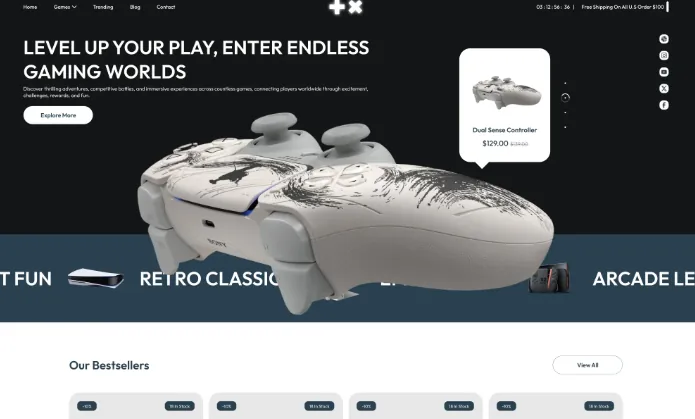
Gaming retailers often manage a wide product range, including consoles, video games, controllers, accessories, and collectibles. The Arcade Gaming Shopify Theme provides a gaming-focused storefront design that helps merchants organize these categories and give featured products more visibility. Its layout can also support promotional content for new releases, popular products, and seasonal sales.
Search and filtering tools help customers narrow down product options, while quick-buy functionality can make purchasing more convenient for supported products. Merchants can use organized collections to separate different types of gaming products, making the store easier to navigate as the catalog grows.
Pricing: $270
Key Features
- Gaming-focused layouts for products and featured collections.
- Organized product categories for easier browsing.
- Search and filtering tools for locating specific products.
- Quick-buy options for supported products.
- Promotional banners and Shopify trust badges for highlighting offers.
- Responsive design for shopping across different devices.
4. Delicious Food Shopify Theme – For Food and Specialty Product Stores
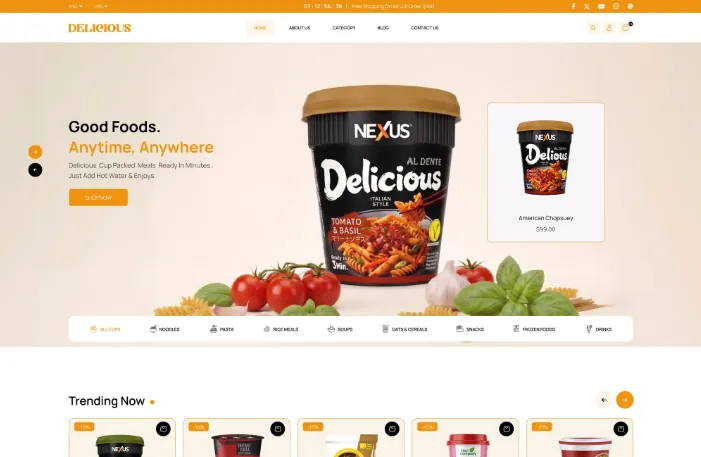
Food businesses need to present their products clearly while helping customers browse different varieties, flavors, and collections. The Delicious Food Shopify Theme is designed for specialty food retailers, packaged food brands, and businesses selling a range of food products online. Its customizable layouts provide space for product displays, brand information, and promotional content.
Merchants can use the storefront sections to organize their catalog and highlight selected products or seasonal offers. Mobile-friendly layouts also help customers browse products on different devices. Depending on the products being sold, merchants should ensure that product pages provide the necessary details about ingredients, sizes, storage, and delivery.
Pricing: $270
Key Features
- Mobile-friendly layouts for convenient browsing across devices.
- Quick-purchase options for supported products.
- Product selection options for different flavors and varieties.
- Customizable sections for food collections and brand information.
- Promotional tools for highlighting featured products and offers.
- Responsive layouts for smartphones, tablets, and desktops.
Food retailers planning to sell online can purchase the Delicious Food Shopify Theme from SAMS IT Services and review its layout options for their product range. This theme can help businesses present food products, organize collections, and create a convenient shopping experience for customers. Retailers comparing food website templates can also evaluate its design, product display options, and customization features to find a suitable fit for their online store.
5. Lumia Jewelry Shopify Theme – For Jewelry and Accessory Stores
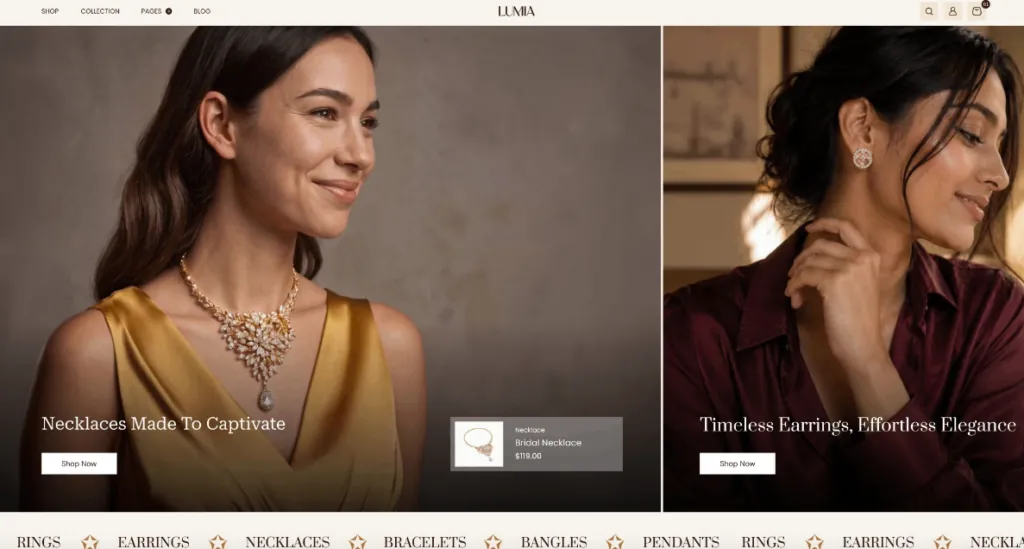
Jewelry shoppers often pay close attention to product images, design details, and the presentation of individual collections. The Lumia Jewelry Shopify Theme is designed for jewelry brands selling rings, necklaces, earrings, bracelets, gemstones, and personalized accessories. Its elegant storefront layout helps merchants organize collections and give featured pieces more visibility.
Customizable sections can be used to display bestsellers, new arrivals, exclusive designs, and seasonal collections. Organized navigation and product discovery tools help customers browse the catalog, while brand content and customer testimonials can provide additional information when shoppers are considering a purchase. These options make the theme worth considering for both established jewelry retailers and smaller businesses building their online presence.
Pricing: $270
Key Features
- Organized collections and navigation for product discovery.
- Customizable sections for bestsellers and new arrivals.
- Product displays that highlight jewelry designs and details.
- Promotional sections for seasonal collections and special offers.
- Customer testimonials and brand content sections.
- Responsive layouts for mobile, tablet, and desktop devices.
How to Choose the Right Shopify Theme Before Buying
Before you buy Shopify themes, consider how each option supports your products, branding, and customers’ shopping needs.
Match the Design to Your Product Category:
Start with the way customers shop for your products. Different industries require different approaches to product presentation and navigation. For example, a fashion store may need size selectors and image galleries, while a gaming store may require well-organized product categories and detailed specifications. A food store may need space for ingredients and package information, whereas a beauty brand may prioritize product benefits and variant selection. Choose a design that supports your catalog instead of trying to adapt your entire business to a theme’s default layout.
Check Mobile Responsiveness:
Your storefront should remain easy to use across smartphones, tablets, and desktop computers. Mobile shoppers should be able to open navigation menus, view product details, select variants, and use purchasing controls without difficulty. Before you buy Shopify themes, test the demo on a smaller screen. Check text readability, image display, menu behavior, button placement, and the overall path from product discovery to cart. A responsive layout is a starting point; testing the completed store is still necessary because your images, apps, and customizations can affect the experience.
Review Customization Options:
Your theme should provide enough flexibility to reflect your brand without requiring extensive development for every change. Look for options to adjust colors, typography, banners, homepage sections, product layouts, and collection pages. Also determine whether these changes are available through the Shopify theme editor or require custom coding.The right level of customization depends on your requirements. A small business may need a straightforward setup, while an established brand may want more control over its storefront presentation.
Evaluate Product Discovery Features:
Customers should be able to find relevant products without navigating through unnecessary pages. Features such as search, collection filters, sorting, and organized navigation can make browsing easier, especially for stores with large catalogs.Consider quick-buy functionality or product recommendations when they fit your selling strategy. However, do not pay extra for features that add complexity without addressing a genuine customer need.
Consider Performance and Accessibility:
A theme demo cannot guarantee the performance of your finished store. Large images, third-party apps, additional scripts, and customizations can affect loading times and responsiveness.Test important pages with tools such as Google PageSpeed Insights after setting up your storefront. Check whether text is readable, interactive controls are clear, and navigation works with a keyboard where applicable.A well-designed storefront should balance visual presentation with usability. Neither an attractive demo nor a long feature list is a substitute for testing.
Check Support, Updates, and Compatibility:
Before purchasing, review the developer’s documentation, update policy, support terms, and licensing conditions. Confirm that the theme supports the Shopify features and integrations your business relies on. If you need a specific app or custom functionality, ask the developer about compatibility before committing. This can help you avoid unexpected development work after installation.
Final Thoughts
The right Shopify theme should suit your products, reflect your brand, and make shopping straightforward for customers. Before making a purchase, compare the available layouts, essential features, mobile experience, customization options, and ongoing support.
If you are planning to buy Shopify themes, visit the Best Shopify Themes collection. Review the demos, confirm the current pricing and included features, and choose the design that best fits your store’s requirements.
Frequently Asked Questions
1. Where can I buy Shopify themes?
You can purchase Shopify themes through the official Shopify Theme Store and independent theme providers. Compare the available designs, features, licensing terms, documentation, and support before choosing a theme.
2. Are paid Shopify themes worth buying?
Paid themes can be worthwhile when their layouts and built-in features match your store’s requirements. Evaluate the actual functionality, customization options, support, and total cost instead of assuming a premium price guarantees better results.
3. Can I customize a Shopify theme without coding?
Many Shopify themes provide customization options through the Shopify theme editor. The amount of flexibility varies by theme, and some advanced changes may require custom development.
4. Do Shopify themes affect SEO?
Themes can influence aspects of the storefront that matter for SEO, including page structure, mobile usability, and performance. However, a theme alone cannot guarantee search rankings. Content quality, technical SEO, internal linking, and other factors also contribute.
6. Can I change my Shopify theme after purchasing it?
Yes. You can change your storefront theme, but you should review your existing customizations, app integrations, and page layouts before publishing the replacement. Test the new design carefully to ensure the shopping experience continues to work as expected.