
Launching a Shopify store is only the beginning. The real challenge is helping potential customers discover your products when they search online. Even a well-designed store with quality products can struggle to generate organic traffic if its pages are not properly optimized for search engines. If you’re looking for ways to improve Shopify SEO, the solution involves more than adding keywords to product titles. Your store needs a combination of relevant content, clear website navigation, optimized product pages, technical performance, and a strong internal linking structure.
Shopify provides several built-in SEO capabilities, including automatically generated sitemaps, canonical tags, and editable metadata. However, these features alone cannot guarantee visibility. Your store still needs a strategy that connects what customers search for with the products and information your website provides.
In this guide, we’ll explore practical ways to strengthen your Shopify SEO, address common optimization issues, and build a store that is easier for search engines to understand and customers to navigate.
Why Is SEO Important for Shopify Stores?
Search engine optimization helps Shopify stores attract potential customers through unpaid search results. Unlike paid advertising, where visibility depends on your advertising budget, SEO can continue bringing relevant visitors to your website as your content earns rankings.
Effective Shopify SEO supports several important business objectives:
- Increased organic visibility: Helps customers discover your products when searching for relevant keywords.
- Higher-quality website traffic: Attracts visitors who are actively researching or shopping for products.
- Improved product discoverability: Makes it easier for search engines to identify and understand product and collection pages.
- Better shopping experience: Encourages clear navigation, helpful content, and mobile-friendly layouts.
- Long-term business growth: Reduces complete dependence on paid advertising as organic visibility develops.
For ecommerce businesses, SEO should focus on more than attracting website visitors. The objective is to reach shoppers whose search intent matches what your store offers.
Effective Ways to Improve Shopify SEO
The following strategies address these areas while prioritizing changes that can deliver meaningful improvements.
1. Conduct Keyword Research Based on Customer Search Intent
Keyword research is the foundation of an effective Shopify SEO strategy. To improve Shopify SEO for your store, focus on the search terms customers use when comparing products, browsing collections, or preparing to make a purchase. For example, a fashion store targeting the broad keyword “women’s clothing” may face strong competition, while specific searches such as “linen summer dresses for women” or “oversized cotton shirts” can better match individual products and customer needs.
An effective keyword research process includes:
- Identifying primary keywords for product and collection pages.
- Researching long-tail keywords with clear purchasing intent.
- Reviewing competitor pages for relevant opportunities.
- Exploring questions customers ask before buying.
- Assigning keywords to the most appropriate pages instead of targeting the same phrase everywhere.
You can use Google Keyword Planner, Ahrefs, Semrush, or Google Search Console to discover keyword opportunities and evaluate existing search performance.
Example of Shopify keyword mapping:
| Page Type | Primary Keyword | Supporting Keywords |
|---|---|---|
| Homepage | sustainable clothing store | eco-friendly fashion, sustainable apparel |
| Collection | women’s linen dresses | breathable linen dresses, casual linen outfits |
| Product | white linen midi dress | lightweight summer midi dress, white casual dress |
| Blog | how to style linen dresses | linen outfit ideas, summer dress styling |
2. Optimize Shopify Product Titles and Meta Descriptions
Product pages are among the most valuable SEO assets on an ecommerce website because they can attract visitors with strong purchasing intent. Each product page should include a descriptive title, unique meta description, and relevant product information. Avoid using generic titles or repeating identical metadata across similar products.
For example:
Poorly optimized title: “Dress – New Collection – Best Quality”
SEO-optimized title: “Women’s White Linen Midi Dress | Summer Collection”
The second title describes the product clearly and includes terms customers may use when searching.
For meta descriptions, explain the product’s key benefits naturally and persuasively.
Example meta description: “Shop our women’s white linen midi dress, designed for breathable comfort and effortless summer styling. Discover your new everyday favorite.”
When optimizing Shopify metadata:
- Keep SEO titles approximately 50–60 characters when practical.
- Aim for descriptive meta descriptions around 150–160 characters.
- Include the primary keyword naturally.
- Highlight genuine product features or benefits.
- Avoid duplicate titles and descriptions.
How to Edit SEO Metadata in Shopify
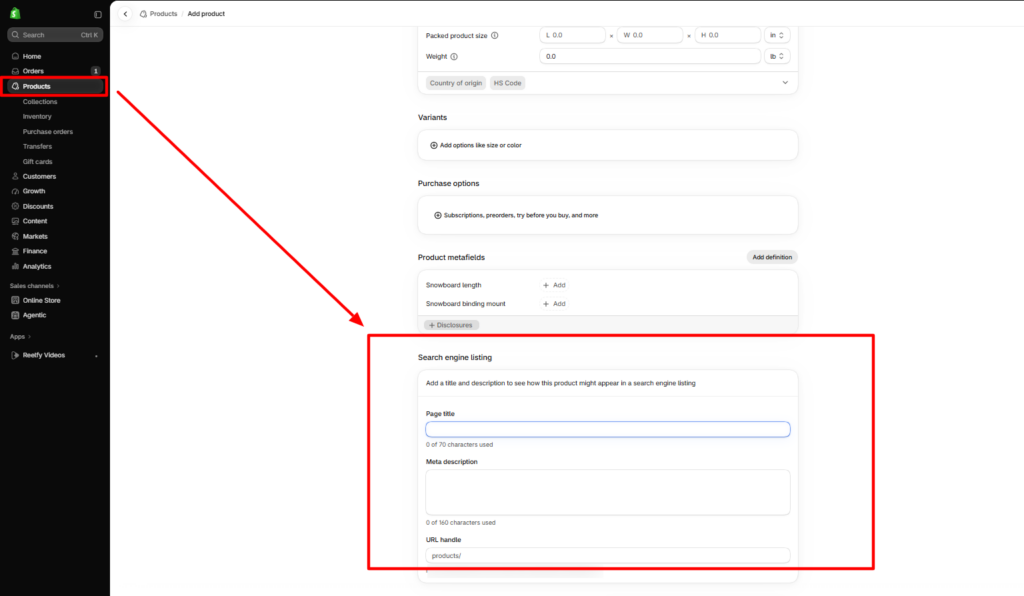
- Go to Shopify Admin and open Products.
- Select the product you want to optimize.
- Scroll to the search engine listing section.
- Click Edit website SEO.
- Update the page title, meta description, and URL handle if necessary.
- Save your changes.
These fields help communicate the page’s topic to search engines and can influence how attractive your listing appears in search results. Google may still generate its own title or description when appropriate.
3. Create Unique and Informative Product Descriptions
Product descriptions should do more than repeat specifications. They should explain how an item meets customer needs, what makes it different, and what buyers should know before ordering. Copying manufacturer descriptions across multiple products can make your website less distinctive and reduce its usefulness to shoppers.
For example, instead of writing:
“This cotton shirt is comfortable and available in multiple sizes.”
A more useful description would be:
“Designed for everyday versatility, this relaxed-fit cotton shirt features breathable fabric, a soft finish, and a comfortable silhouette that pairs easily with jeans, trousers, or layered outfits.”
A well-optimized product description should include relevant details such as fabric, dimensions, materials, product care, functionality, compatibility, or intended use, depending on the product category. Use short paragraphs, meaningful headings, and concise feature lists to make the information easy to scan.
The goal is not to repeat the primary keyword as frequently as possible. It is to create a product page that answers purchase-related questions better than competing listings.
4. Improve Shopify Collection Page SEO
Collection pages can target valuable category-level keywords and help customers browse multiple products. To improve Shopify SEO, use a clear collection title, add a short and relevant introduction, write unique meta titles and descriptions, provide useful filters, link to related collections, and ensure search engines can access product listings.
Avoid lengthy, repetitive text that pushes products too far down the page. For example, a skincare collection can include a brief introduction to products for different skin types, followed by filters for ingredients, skin concerns, and product formats. This improves the browsing experience while giving search engines clearer context about the collection.
5. Build a Clear Shopify Store Structure
A well-organized Shopify store helps customers find products easily and allows search engines to understand how pages relate to each other. Keep the main navigation focused on important categories, connect individual products to relevant collections, and avoid unnecessary menu levels.

A well-structured Shopify theme can make it easier for customers to explore products and navigate between collections. For jewelry businesses, the Lumia Jewelry Shopify Theme , a preset of the Nexus theme developed by SAMS, offers elegant layouts, curated collection displays, and intuitive navigation. Its product-focused design helps merchants organize rings, necklaces, earrings, and other jewelry categories while creating a visually appealing shopping experience.
By combining a well-organized storefront with optimized collection titles, descriptive product content, and relevant internal links, merchants can build a stronger foundation for Shopify SEO.
6. Optimize Product Images for SEO and Performance
High-quality product images help customers evaluate items, but oversized files can slow down page loading. To improve image SEO and performance, use descriptive filenames such as black-leather-crossbody-bag.jpg, add accurate alt text, compress images without losing important details, and upload appropriately sized files. Include multiple product angles when they help shoppers understand the item.
For example, alt text such as “Black leather crossbody handbag with adjustable shoulder strap and gold-tone zipper” describes the image more clearly than “bag image 01.” Keep alt text relevant to the actual image instead of repeating keywords, and use Shopify’s image delivery features to serve optimized image formats and sizes where supported by your theme.
7. Improve Shopify Website Speed and Core Web Vitals
Website speed affects how smoothly customers browse products, navigate collections, and complete purchases. Large images, excessive third-party apps, heavy JavaScript, and poorly implemented theme features can slow down a Shopify store.
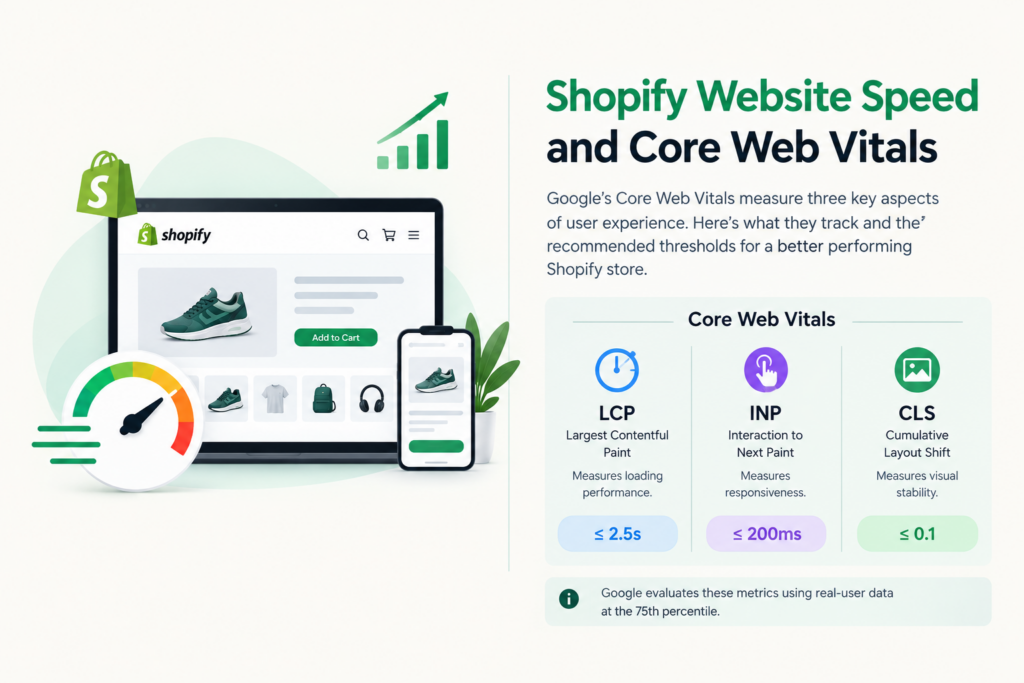
Google’s Core Web Vitals measure three aspects of user experience:
- Largest Contentful Paint (LCP): Measures loading performance.
- Interaction to Next Paint (INP): Measures responsiveness.
- Cumulative Layout Shift (CLS): Measures visual stability.
The recommended thresholds for good performance are LCP of 2.5 seconds or less, INP of 200 milliseconds or less, and CLS of 0.1 or less. Google evaluates these metrics using real-user data at the 75th percentile.
To improve performance:
- Remove unnecessary apps and third-party scripts.
- Optimize large banners and product images.
- Avoid animations that delay content.
- Set image dimensions to reduce layout shifts.
- Use lazy loading for suitable images below the fold.
- Choose a responsive Shopify themes built with performance in mind.
- Minimize unused CSS and JavaScript to improve page loading speed.
- Compare performance features when you buy Shopify themes to choose a design that supports a fast, smooth shopping experience.
Test your homepage, collection pages, and product pages separately using Google PageSpeed Insights and Search Console. A fast homepage does not guarantee that every page performs equally well, especially when different templates use different apps, sections, and scripts.
8. Strengthen Internal Linking Across Your Shopify Store
Internal linking helps visitors find relevant products and content while making it easier for search engines to discover related pages. Shopify stores can connect blog posts, collections, and product pages to guide customers through their shopping journey.
For example, a blog about choosing running shoes can link to a running shoes collection and relevant product pages. You can also link complementary products, add useful links to collection descriptions, include contextual links in product descriptions, and use breadcrumb navigation to connect related pages.
Use descriptive anchor text, such as “women’s waterproof hiking boots,” instead of generic phrases like “click here.” Ensure every link provides value to visitors rather than adding links solely for SEO purposes.
9. Create Helpful Blog Content That Supports Product Discovery
Blogging helps Shopify stores reach customers before they are ready to purchase. Informational searches often involve product comparisons, styling advice, maintenance instructions, ingredient explanations, and buying recommendations.
For example, an online jewelry store could publish articles such as:
- How to Choose Earrings for Different Face Shapes
- Sterling Silver vs. Stainless Steel Jewelry
- How to Clean Silver Jewelry at Home
- Best Jewelry Gifts for Special Occasions
Each article can answer a specific question and introduce related products where relevant. A useful ecommerce content strategy should cover different stages of the customer journey.
| Search Stage | Content Type | Example |
|---|---|---|
| Awareness | Educational guide | How to Care for Sterling Silver Jewelry |
| Consideration | Comparison article | Sterling Silver vs. Gold-Plated Jewelry |
| Purchase | Buying guide | Best Sterling Silver Necklaces for Gifting |
| Post-purchase | Care instructions | How to Store Silver Jewelry Properly |
Rather than publishing blog posts simply to increase the number of indexed pages, focus on original, helpful information that matches a real customer question. Content with clear examples, accurate product details, and practical recommendations is more valuable than generic articles created only around keyword volume.
10. Fix Technical SEO Issues and Improve Indexing
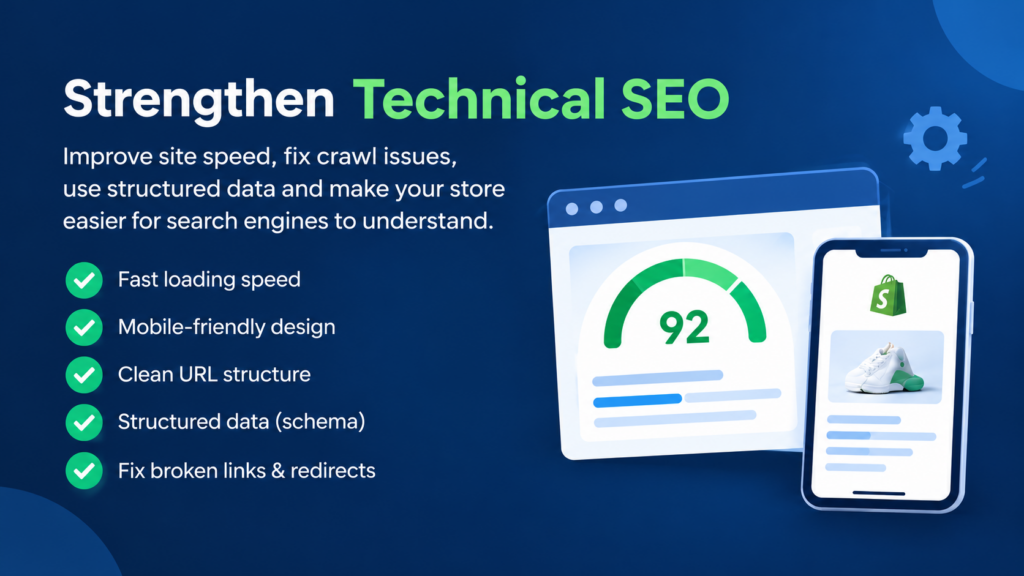
Technical SEO ensures that search engines can access, interpret, and index the pages you want customers to discover. Shopify automatically provides several technical features, including an XML sitemap, default robots.txt rules, and canonical tags. However, store owners should still audit the website for issues affecting visibility.
Important technical checks include:
- XML Sitemap: Shopify automatically generates a sitemap at yourstore.com/sitemap.xml. Submit this sitemap through Google Search Console to help Google discover your important URLs.
- Canonical Tags: Review canonical tags on product and collection pages, particularly where similar URLs can be reached through different navigation paths.
- Broken Links: Identify outdated product URLs and internal links that lead to 404 pages.
- 301 Redirects: When changing a product or collection URL, redirect the previous address to the most relevant active page.
- Indexing Restrictions: Confirm that important pages are not accidentally excluded through noindex directives or other technical settings.
- Duplicate Content: Review similar product descriptions, unnecessary duplicate landing pages, and parameter-generated URL variations.
Be cautious when customizing Shopify’s robots.txt configuration. Incorrect rules can prevent important content from being crawled.
11. Implement and Validate Shopify Schema Markup
Schema markup is structured information that helps search engines understand the content and purpose of a webpage. For Shopify stores, structured data can communicate product attributes such as pricing, availability, variants, and review information.
Relevant schema types include:
| Schema Type | Purpose |
|---|---|
| Product | Identifies product-specific information. |
| Offer | Describes product price, currency, and availability. |
| BreadcrumbList | Communicates page hierarchy. |
| Organization | Provides business identity information. |
| Article | Describes blog or editorial content. |
Many best Shopify themes include structured data automatically. Before installing a schema application or adding custom JSON-LD, inspect the existing markup to avoid conflicting or duplicate implementations. Google’s Rich Results Test can help identify structured data errors and supported search enhancements.
Proper Product and Offer structured data may make eligible product pages appear with richer shopping information, but implementing schema does not guarantee rich results or higher rankings.
12. Make Your Shopify Store Mobile-Friendly
Customers frequently browse ecommerce websites on mobile devices, so your Shopify SEO strategy should account for smaller screens and touch-based interactions. A store may look polished on desktop while creating usability problems on mobile, particularly when banners, pop-ups, filters, and navigation menus are not properly optimized.
Review the mobile experience across important templates and check that:
- Product images display without unnecessary cropping.
- Navigation and collection filters remain easy to use.
- Buttons are clearly visible and comfortable to tap.
- Product titles and descriptions are readable.
- Important product information is not hidden unnecessarily.
- Promotional pop-ups do not obstruct browsing.
- Page layouts remain stable as images and content load.
Google primarily uses the mobile version of website content for indexing, making content consistency between desktop and mobile important.
13. Earn High-Quality Backlinks and Brand Mentions
Backlinks are links from external websites that point to your Shopify store. Earning relevant, high-quality backlinks is an effective way to improve Shopify SEO, strengthen your website’s credibility, and support its ability to rank higher in organic search results. However, link quality matters more than the number of backlinks.
A Shopify store can build authority through product features in relevant industry publications, collaborations with bloggers and content creators, expert contributions to niche websites, useful product guides, partnerships with complementary brands, and relevant business directories.
For example, a sustainable clothing brand could contribute garment-care advice to a fashion publication, creating opportunities for brand exposure and relevant backlinks. Avoid purchasing bulk backlinks, participating in link exchanges designed to manipulate rankings, or posting repetitive links on low-quality websites.
A sustainable off-page SEO strategy focuses on genuine relationships, valuable content, and relevant references.
14. Connect Shopify with Google Search Console and Merchant Center
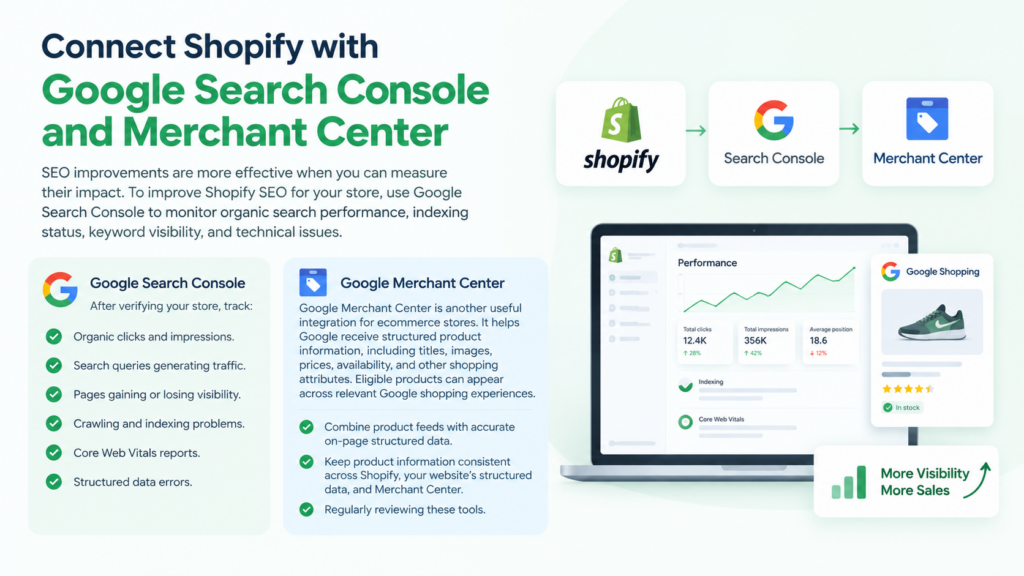
SEO improvements are more effective when you can measure their impact. To improve Shopify SEO for your store, use Google Search Console to monitor organic search performance, indexing status, keyword visibility, and technical issues.
After verifying your store, track:
- Organic clicks and impressions.
- Search queries generating traffic.
- Pages gaining or losing visibility.
- Crawling and indexing problems.
- Core Web Vitals reports.
- Structured data errors.
Google Merchant Center is another useful integration for ecommerce stores. It helps Google receive structured product information, including titles, images, prices, availability, and other shopping attributes. Eligible products can appear across relevant Google shopping experiences.
Google recommends combining product feeds with accurate on-page structured data. Keep product information consistent across Shopify, your website’s structured data, and Merchant Center to minimize feed errors and product disapprovals.
Regularly reviewing these tools helps you identify issues and make informed decisions as part of your Shopify SEO optimization strategy.
15. Monitor SEO Performance and Continuously Refine Your Strategy
Shopify SEO is an ongoing process rather than a one-time checklist. Search behavior changes, competitors update their websites, and product catalogs expand. Regular monitoring helps identify which pages are improving and which require additional optimization. Focus on meaningful performance metrics rather than tracking rankings alone.
| SEO Metric | What It Helps You Understand |
|---|---|
| Organic clicks | Search traffic generated by your website. |
| Search impressions | Visibility across relevant search queries. |
| Click-through rate | How frequently searchers click your listings. |
| Average position | General ranking trends across tracked queries. |
| Indexed pages | Which URLs Google has included in its index. |
| Organic conversion rate | How effectively organic visitors become customers. |
| Organic revenue | Sales attributed to organic search traffic. |
Use Search Console to identify pages receiving impressions but relatively few clicks. These may benefit from improved titles, clearer search intent alignment, or stronger content. For pages already attracting traffic but generating limited purchases, review product information, pricing clarity, navigation, and mobile usability.
Analyze performance over meaningful time periods rather than making significant changes based on a few days of fluctuations.
How Long Does It Take to Improve Shopify SEO?
Shopify SEO results depend on your website’s age, competition, technical condition, existing authority, and the quality of changes implemented. Some improvements, such as correcting indexing problems or updating poorly optimized pages, may become visible in Search Console relatively quickly after Google processes the changes.
Competitive keyword rankings and sustained organic revenue growth often require several months of consistent work. Instead of expecting immediate rankings, establish a baseline and monitor progress through organic visibility, qualified traffic, and conversions.
The most useful approach is to fix technical obstacles first, strengthen commercially important pages, and then expand your content and authority-building efforts.
Final Words
Improving Shopify SEO requires a consistent approach that combines technical optimization, useful content, and an effective shopping experience. Strong keyword targeting, original product descriptions, well-organized collections, optimized images, and meaningful internal links provide a solid foundation for long-term organic visibility. Shopify page builder apps can also help create optimized landing pages with clear layouts and engaging content.
Start by reviewing your store’s indexing health and identifying the pages with the greatest commercial potential. Strengthen those pages before expanding into supporting blog content, structured data improvements, and external authority building.
The most effective way to improve Shopify SEO is to make every important page easier for search engines to understand and more useful for customers. As your product catalog grows, regular performance reviews and focused optimization will help your store compete more effectively in organic search.
Frequently Asked Questions (FAQs)
1. How Can I Improve Shopify SEO for Free?
You can improve Shopify SEO without paid tools by optimizing product titles, descriptions, image alt text, internal links, and collection pages. Google Search Console and PageSpeed Insights also provide free insights into search visibility and website performance.
2. Is Shopify Good for SEO?
Yes. Shopify includes useful SEO features such as editable metadata, canonical tags, automatic XML sitemaps, and SSL certificates. However, achieving strong organic rankings also depends on content quality, website structure, technical performance, and competition.
3. Does Changing a Shopify Theme Affect SEO?
Changing a Shopify theme can affect SEO if it changes page speed, heading structure, internal links, structured data, or how important content is rendered. Before publishing a new theme, check key pages for technical errors and mobile usability issues.
4. How Do I Improve Shopify Product Page Rankings?
Focus on relevant keywords, descriptive product titles, original product descriptions, optimized images, accurate structured data, and internal links. Product pages should also answer customer questions and provide complete purchasing information.
5. Do I Need an SEO App for My Shopify Store?
Not necessarily. Shopify already includes several essential SEO features. An SEO app may help with large-scale metadata management, image optimization, audits, or structured data, but it should solve a specific need rather than duplicate existing functionality.
6. Why Is My Shopify Store Not Ranking on Google?
Common reasons include insufficient keyword relevance, weak content, indexing restrictions, limited website authority, strong competition, and technical issues. Google Search Console can help determine whether the main problem involves indexing, search visibility, or click performance.