Bundle Builder Section – Nexus
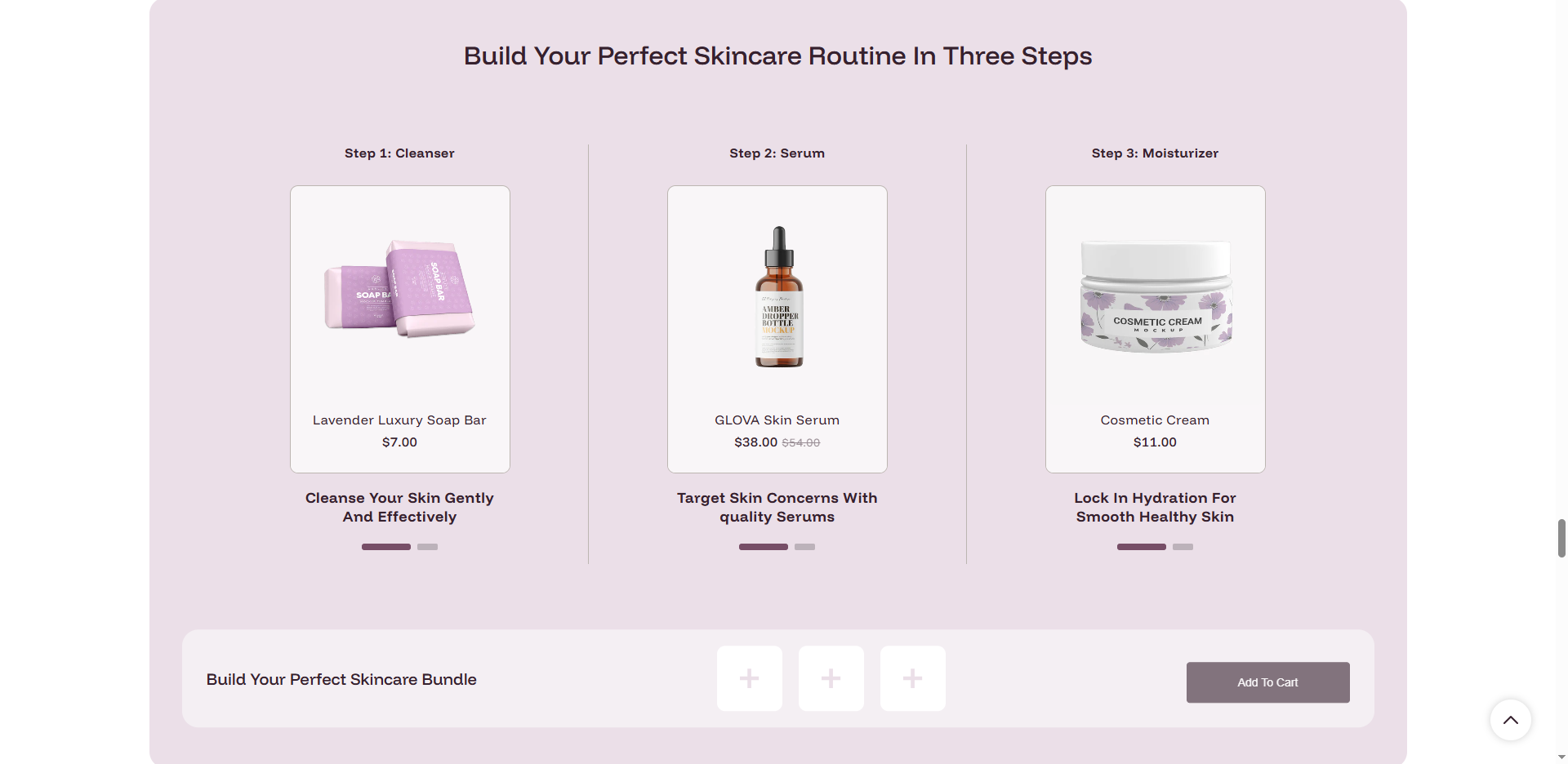
The Bundle Builder section in the Nexus theme allows customers to create personalized product sets in a simple, step-by-step process. Ideal for skincare routines, gift sets, or any collection of complementary products, this section guides users through choosing their items, increasing average order value and enhancing the shopping experience.
Features of the Bundle Builder Section:
- Step-by-Step Selection: Guide customers through a structured process to build their perfect routine or set.
- Personalized Bundling: Allow users to pick specific products for each defined step.
- Interactive Progress: Visual feedback and clear navigation through the bundle steps.
- Mobile Optimized: Seamless touch-friendly experience for building bundles on any device.
How to Set Up the Bundle Builder Section:
- Navigate to Online Store → Themes → Customize.
- Click Add section and select Bundle builder.
- Configure the overall Heading, Footer text, and Color scheme.
- Click Add Step to create individual selection stages (e.g., Step 1: Cleanser).
- Within each Step block, select the products you want to offer as choices.
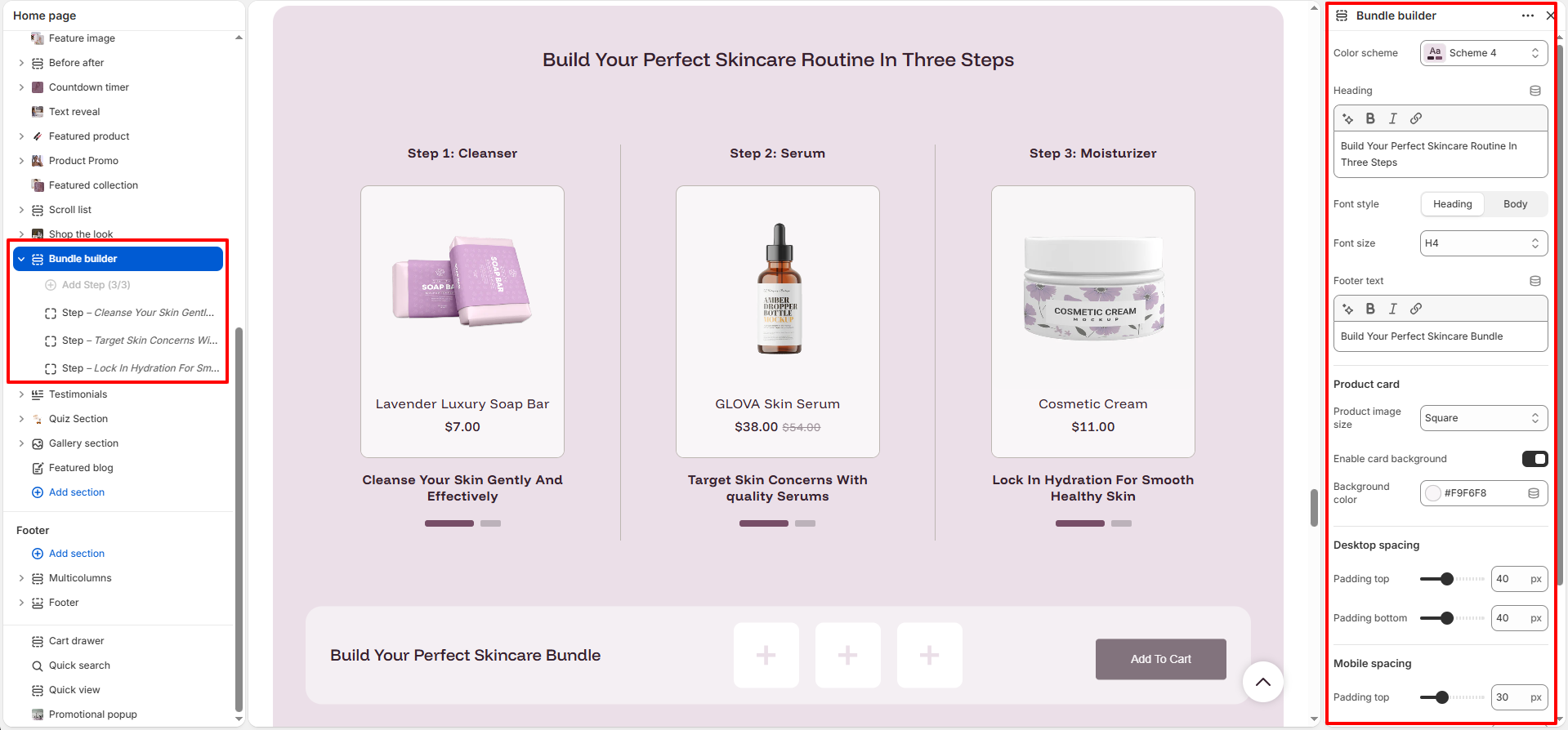
Section Settings:
Customize the behavior and appearance of the bundle builder:
- Color scheme: Select a color palette for the section (e.g., Scheme 4).
- Heading: Add a primary title for the section using the rich text editor.
- Font style: Choose between Heading or Body typography styles.
- Font size: Select the heading size (e.g., H4) to control visual hierarchy.
- Footer text: Add rich text to appear at the bottom of the section (e.g., a bundle summary or CTA).
- Product image size: Set the aspect ratio for product images (e.g., Square).
- Enable card background: Toggle to show/hide a background for the product cards.
- Background color: Choose a specific background color for the product cards.
-
Desktop spacing:
- Padding top: Vertical space above the section on desktop.
- Padding bottom: Vertical space below the section on desktop.
-
Mobile spacing:
- Padding top: Vertical space above the section on mobile.
- Padding bottom: Vertical space below the section on mobile.
Step Block Settings:
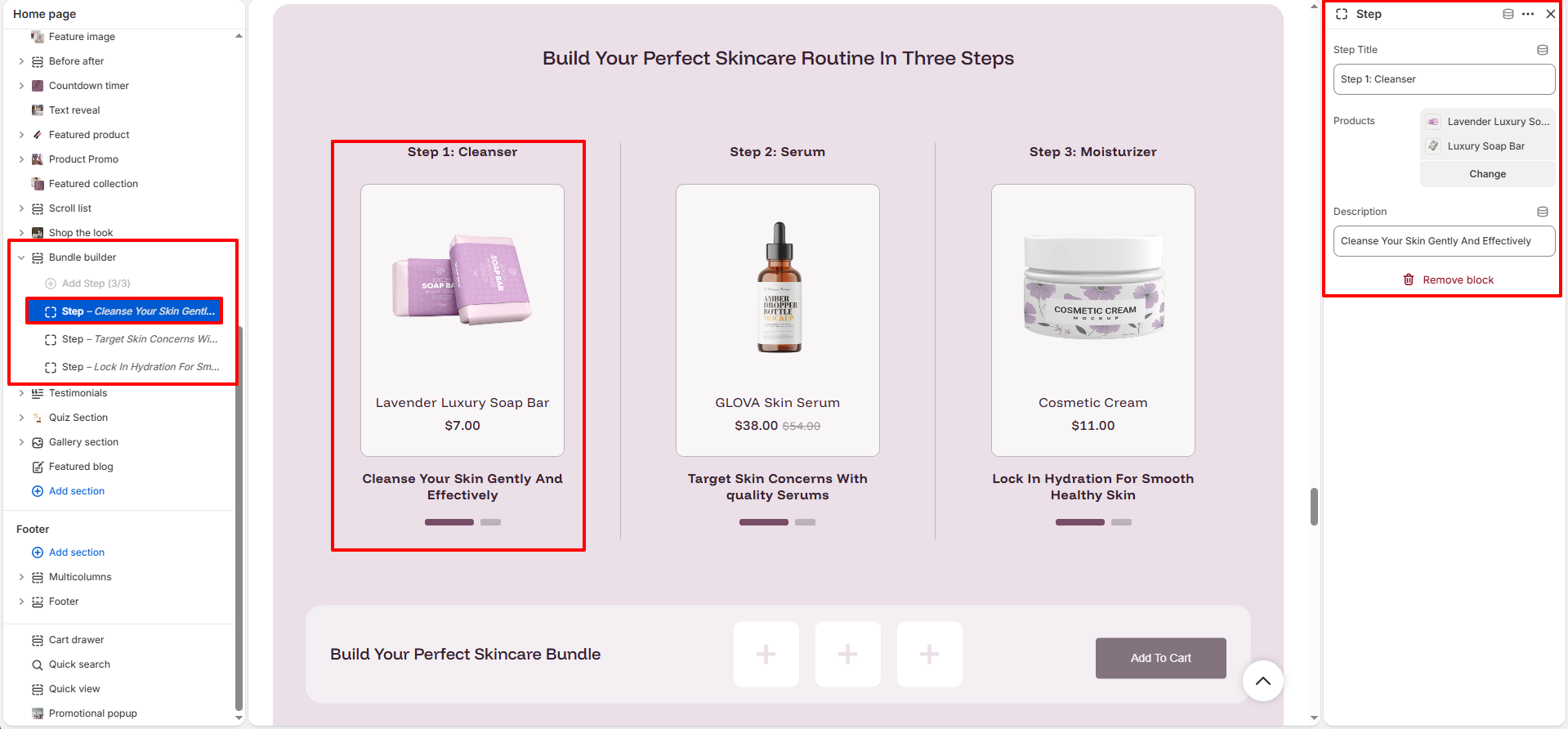
Configure each stage of the bundle selection process:
- Step Title: Add a name for the step (e.g., "Step 1: Cleanser").
- Products: Select the specific products available for selection in this step.
- Description: Add supporting text to help customers choose the right product for this step.
Pro Tips:
Limit the number of steps to 3–5 to keep the process simple and avoid decision
fatigue. Ensure your product descriptions are concise and highlight the benefits of
each choice. Use a clear, encouraging footer text to motivate customers to complete
their bundle.