Cart – Nexus
How to set up the cart
The main cart settings are configured under Theme settings > Cart.
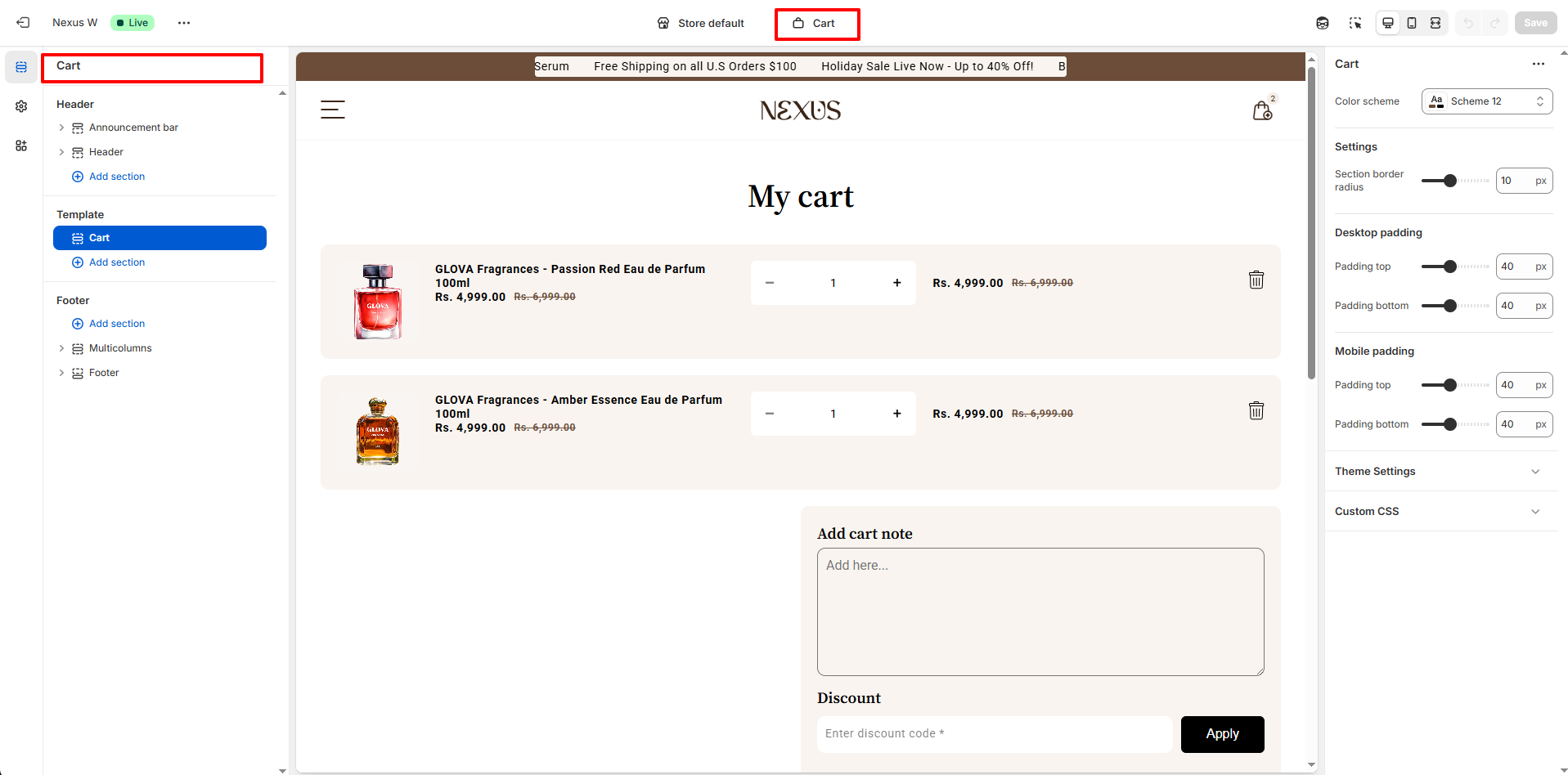
Cart page
The cart page is a dedicated page for customers to review and manage the items they have added to the shopping cart before proceeding to checkout. This page can be configured and customized like other pages of the store using the incredible range of sections.
Steps
- Open the Theme editor, and select Cart from the dropdown at the top.
- Click the Cart page section on the left hand side.
Cart items
- Show order note which permits customers to attach notes on the order.
- Show additional checkout options is the option to enable Shopify's dynamic checkout buttons.
- Show input box to enter discount code to apply discount.