Announcement Bar
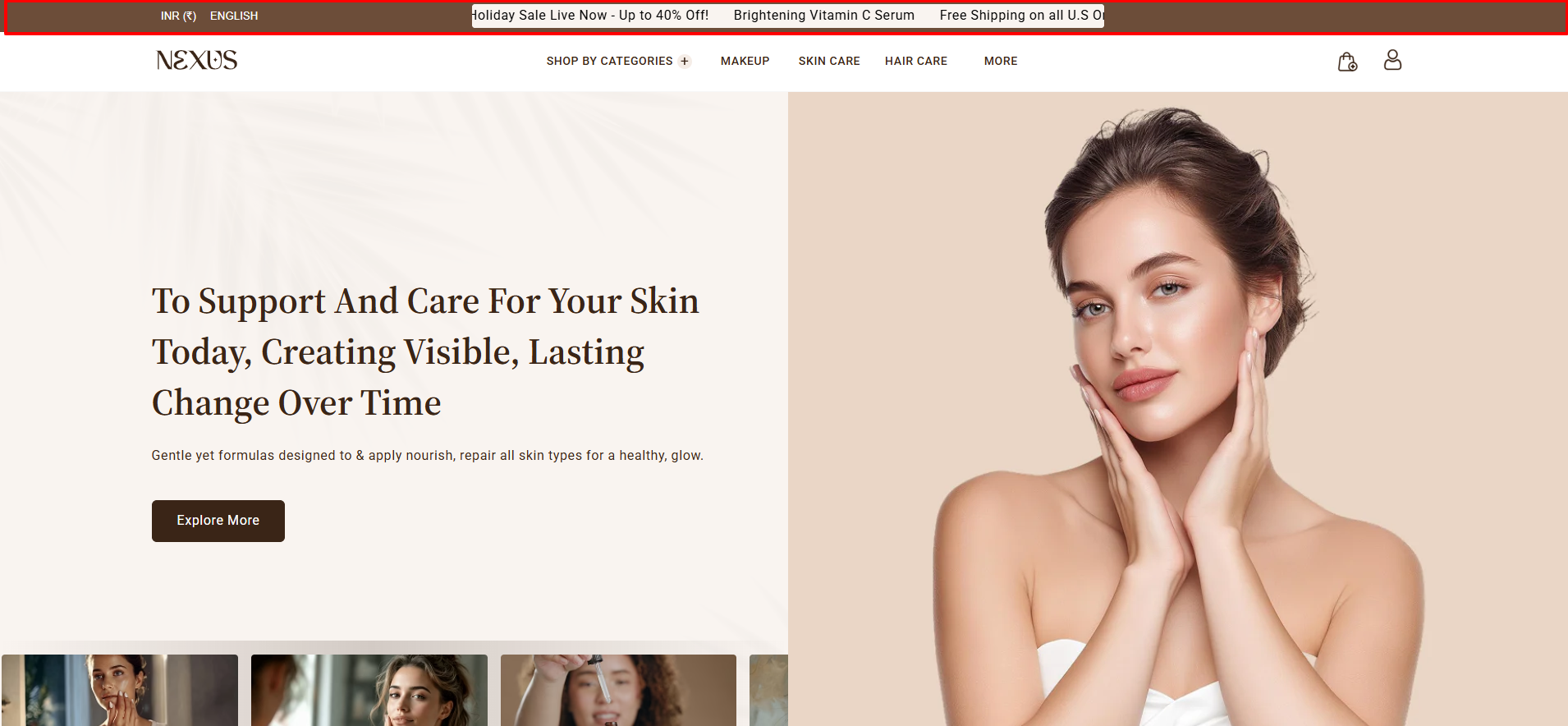
The Announcement Bar in the Nexus theme is a sleek and effective way to share important updates with your customers. Located at the very top of your store, it’s ideal for highlighting promotions, shipping info, or special announcements. You can easily enable,customize, or reposition it using the theme editor—keeping your customers informed without interrupting their shopping experience.
Your Header is the first thing customers notice, helping create a strong and memorable brand impression. Nexus offers multiple header layouts, along with thoughtfully designed icons for the cart, account, and search, ensuring a seamless and stylish shopping experience for your beauty store.
How to Configure the Announcement Bar
- From your Shopify admin, go to Online Store → Themes.
- Click Customize on the Nexus theme.
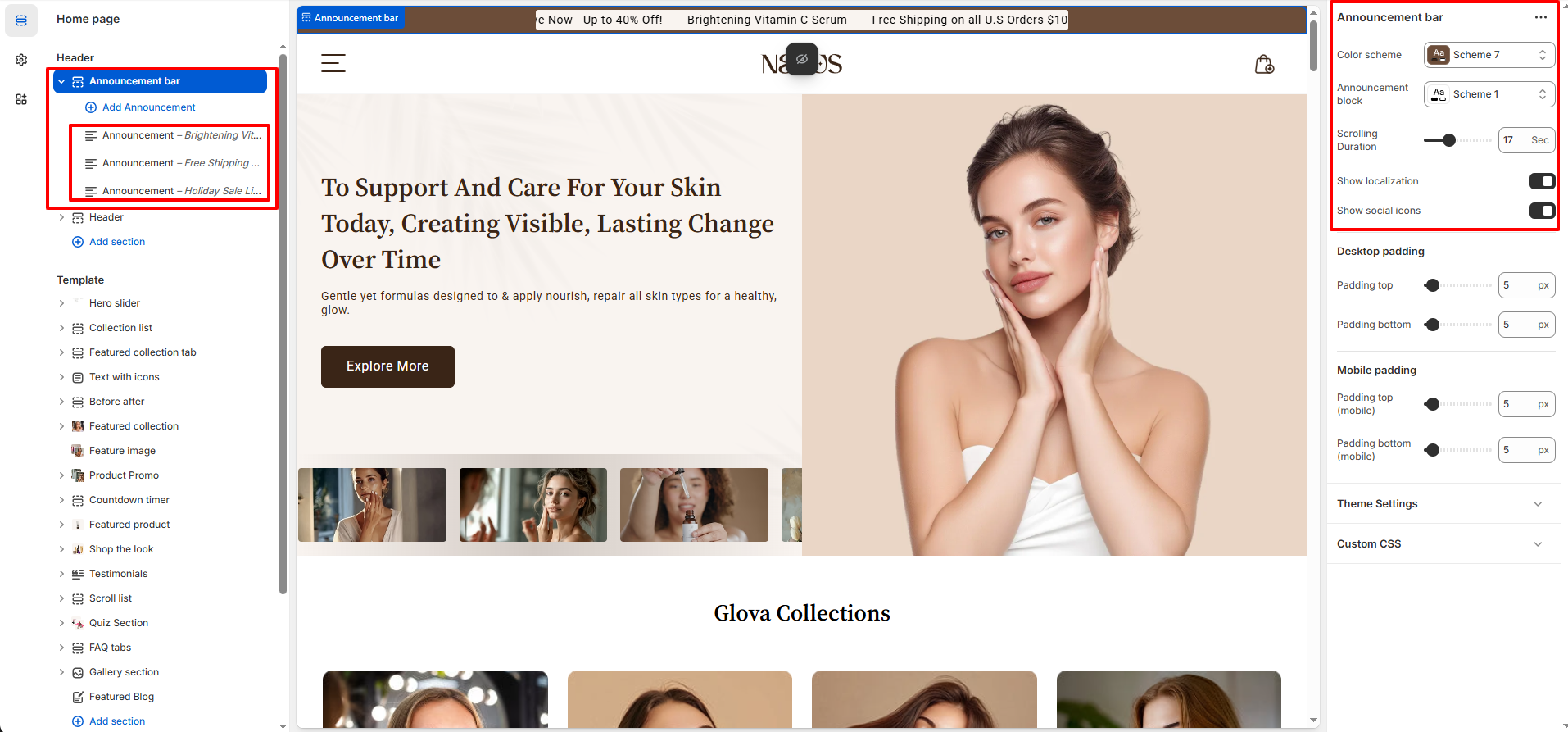
- In the Theme Editor, select the Announcement section from the left sidebar.
- Adjust the settings, blocks, and layout options according to your preferences.
- Click Save to apply your changes.
How to Configure the Announcement Bar Settings
- Color Scheme : Choose from available theme color presets (e.g., Scheme 1).
- Announcement Block Scheme : Choose from theme-defined color presets (e.g., Scheme 1).
- Scrolling Duration : Set the time in seconds (default shown : 17 seconds).
- Localization : Toggle ON or OFF.
- Social Icons : Toggle ON or OFF.
-
Desktop Spacing :
- Spacing Top : Set the top spacing (default : 5px)
- Spacing Bottom : Set the bottom spacing (default : 5px)
-
Mobile Spacing :
- Spacing Top (Mobile) : Set the top spacing (default : 5px)
- Spacing Bottom (Mobile) : Set the bottom spacing (default : 5px)