Product Swatches – Nexus Theme
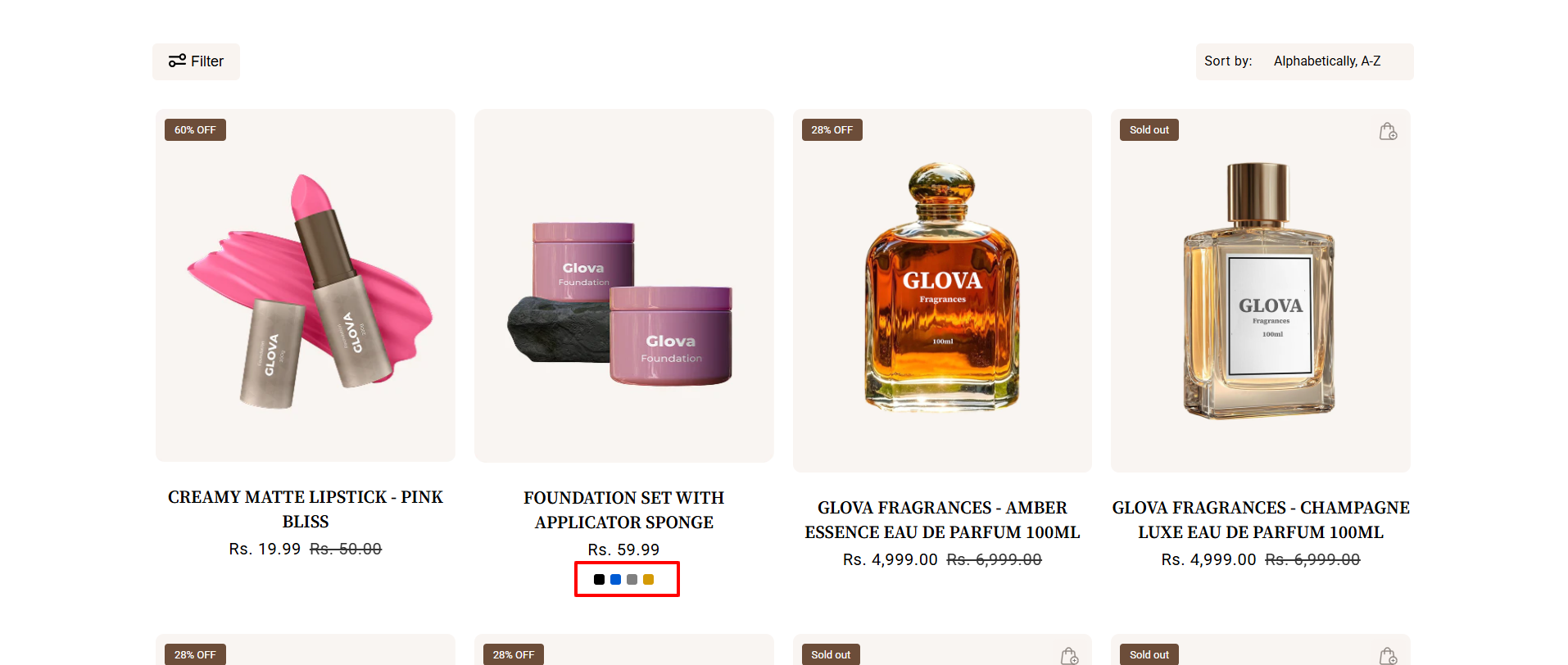
In the Nexus theme, product swatches (color circles, color square) can be displayed directly on product cards across Collection Pages, Featured Collections, and Sliders.
This allows customers to preview and switch color variants easily without opening the product page.
How to Set It Up
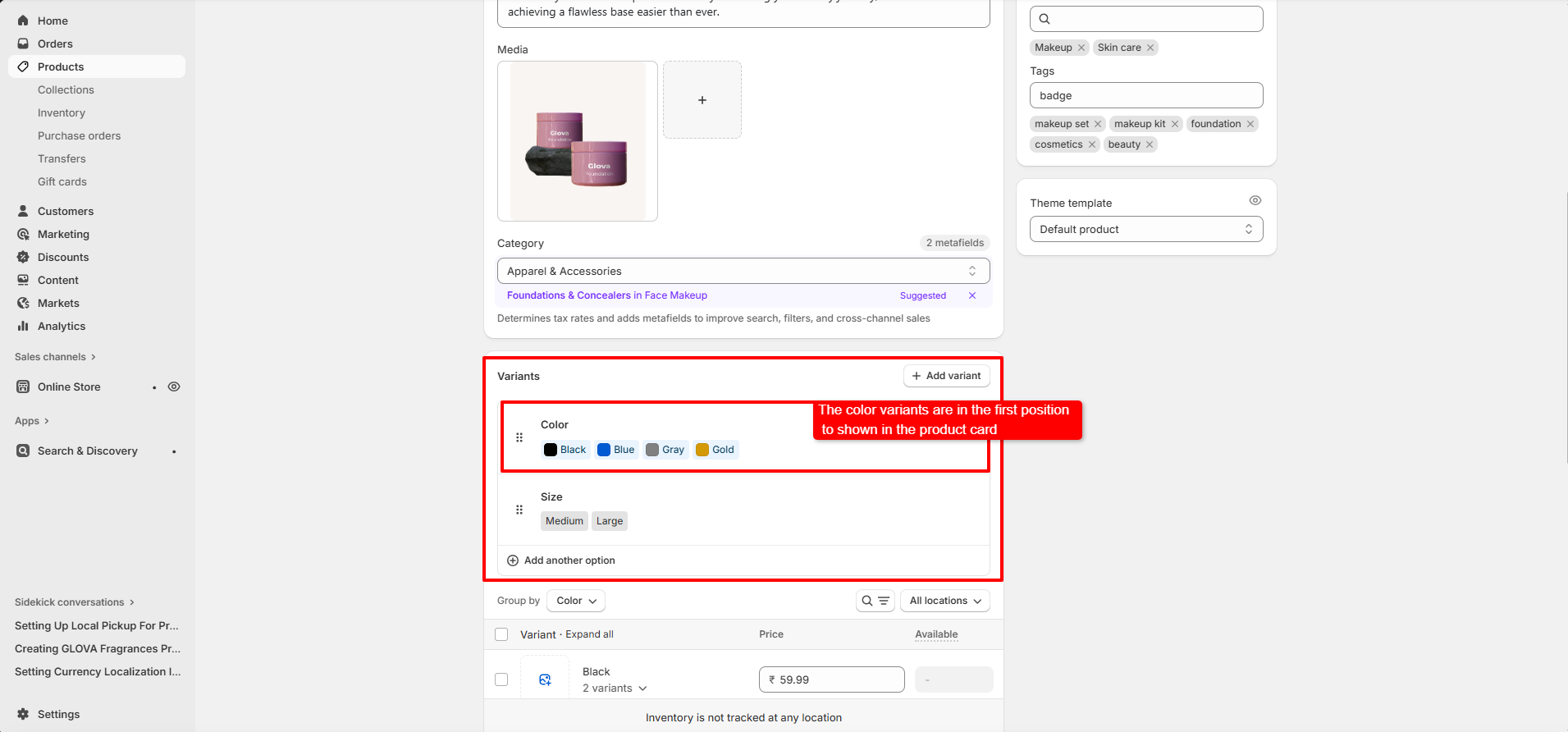
- Ensure your product has multiple options like :
- Select the product you want to tag.
- Option 1 : Color (e.g., Red, Blue, Black)
- Option 2 : Size (e.g.medium, large)
- Option 3 : Material (optional)
Add Product Variants :
Important :
The Color option must be the first option (Option 1) to
enable color swatches on product cards.
How Swatches Display
- Swatches appear as small colored circles or square under the product image
- The first color in the option will be selected by default
- Customers can hover or click on a swatch to preview the corresponding variant image (if available)