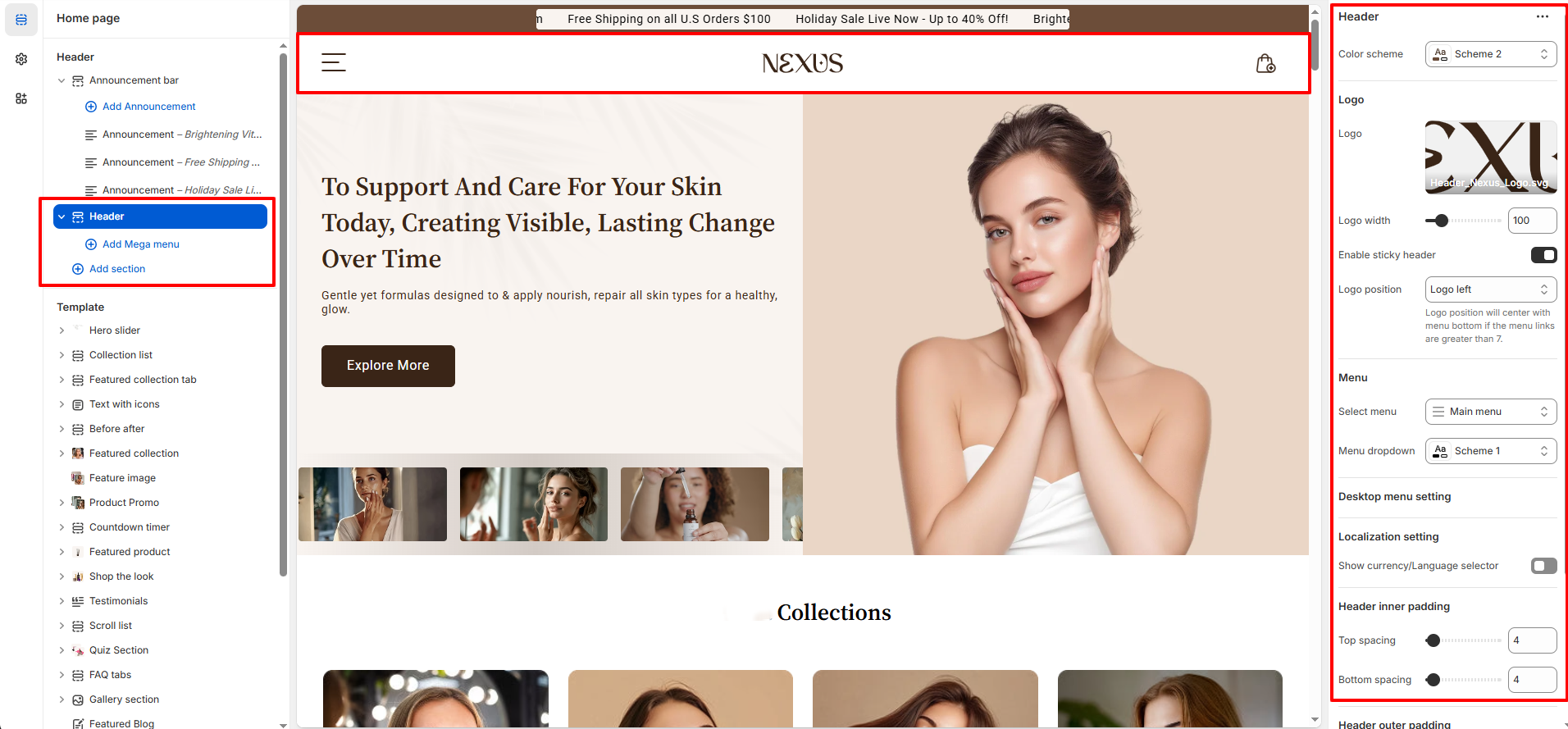
Header Settings
The Header is the very first element shoppers notice when they enter your store. With the theme, you have complete flexibility to customize the header’s layout, menu structure, and logo positioning, ensuring it aligns perfectly with your beauty brand’s look and feel.
What You Can Do in the Header:
- Upload your store logo (image).
- Adjust logo size and position.
- Enable sticky header to keep navigation visible while scrolling.
- Configure main navigation.
- Localization:Toggle ON or OFF.
-
Header Inner Spacing:
- Spacing Top:Set the top spacing (default: 0px)
- Spacing Bottom:Set the bottom spacing (default: 0px)
-
Header Outer Spacing:
- Spacing Top:Set the top spacing (default: 0px)
- Spacing Bottom:Set the bottom spacing (default: 0px)
Mega Menu Templates:
- The theme provides two clean, pre-built mega menu styles designed to showcase products directly in your navigation. This helps shoppers quickly discover key beauty items.
- Both mega menus can be easily customized through the Shopify theme editor using blocks, giving you straightforward control over what products you highlight.
Mega Menu Templates Overview:
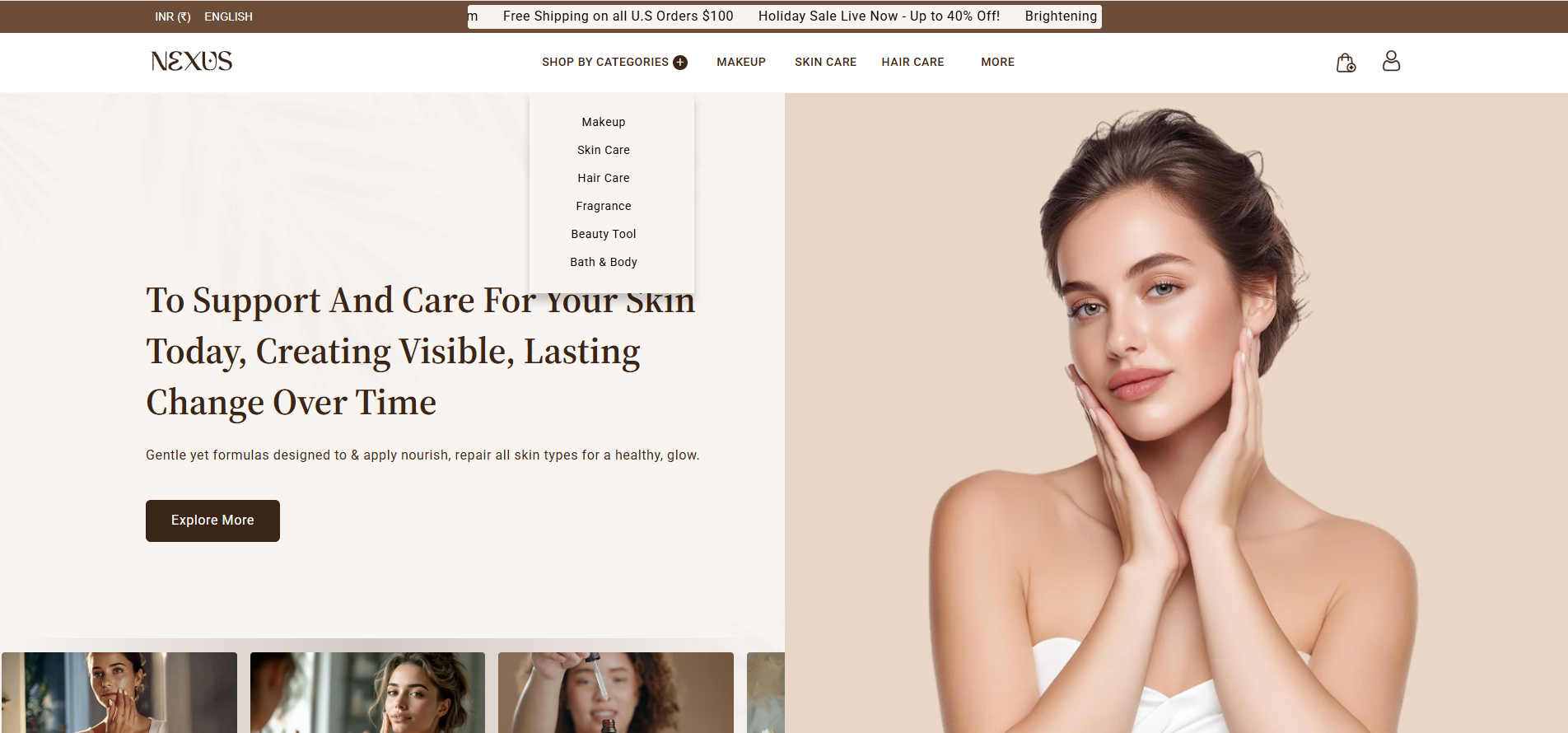
Template 1: Simple Links Grid
- Clean grid layout for links and categories.
- Perfect for stores with minimal submenus.
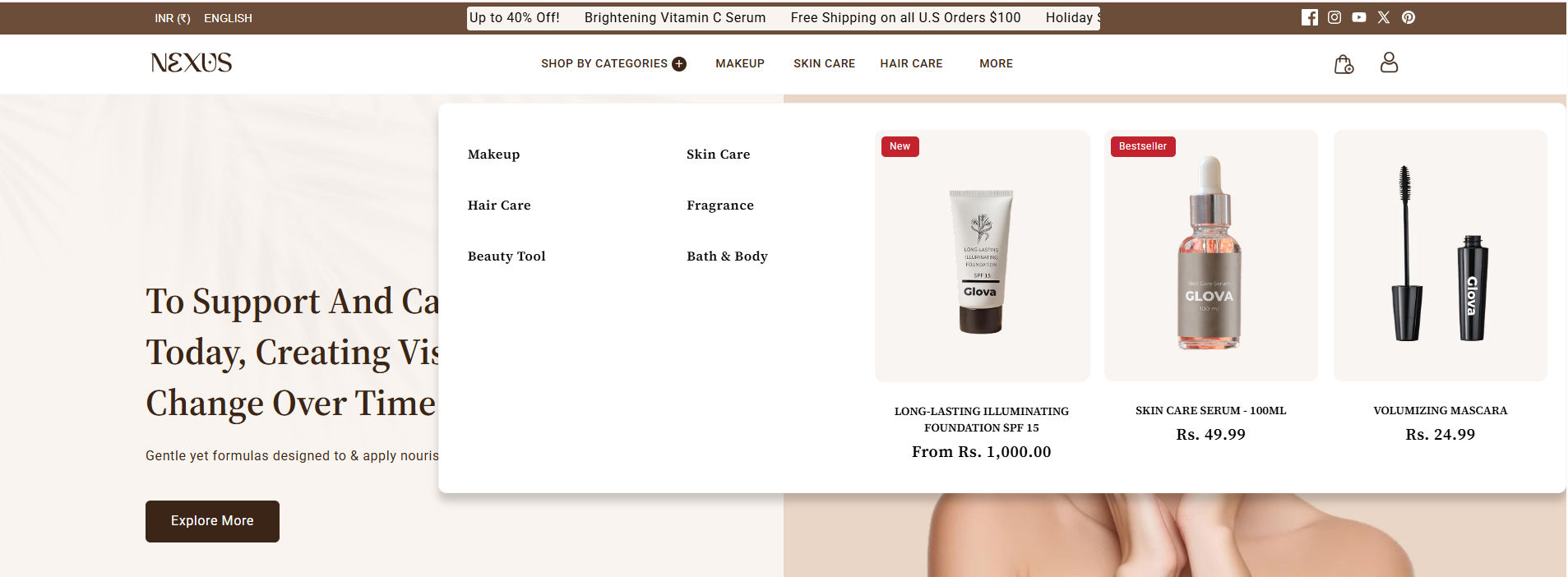
Template 2: Featured Product
- Add featured products directly into the menu.
- Lets customers shop faster from navigation.
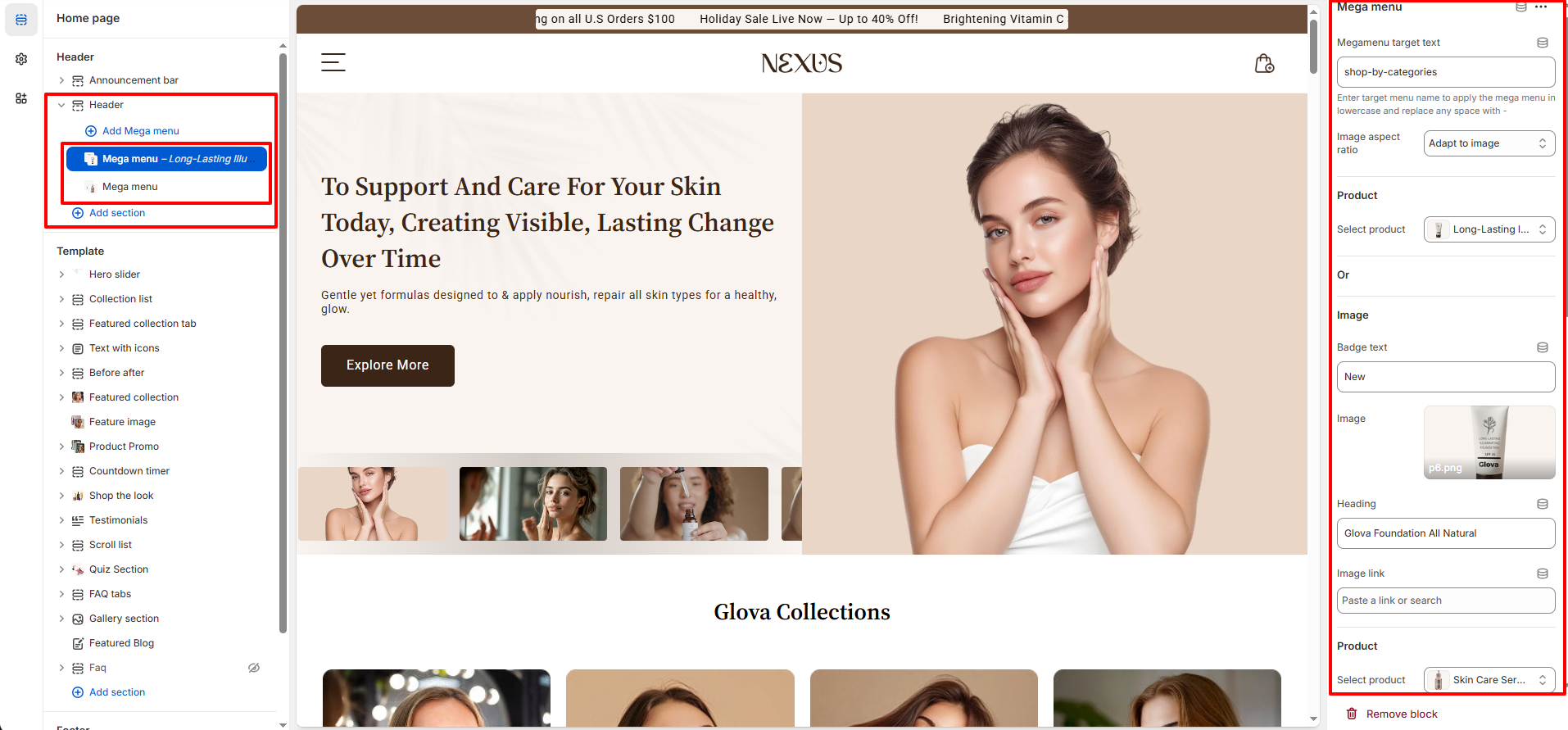
To assign a mega menu template:
- Go to Shopify Admin → Online Store → Customize.
- In the theme editor, open Header settings and select the menu you want to display in the navigation bar.
- Add and assign the appropriate Mega Menu block to the desired menu item.
- Customize the content and images directly in the block settings.