Product Page – Nexus
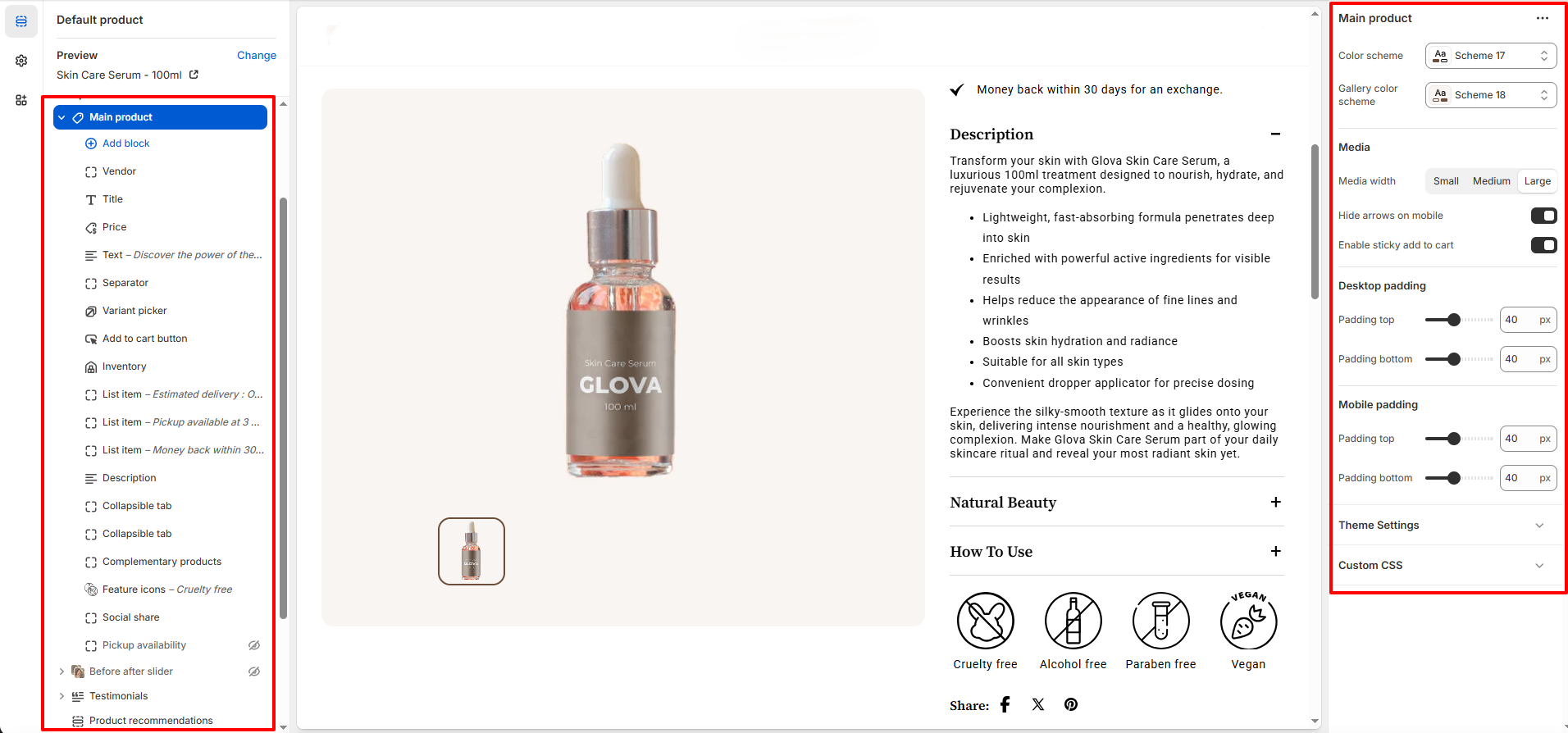
The Product Page in Nexus is carefully crafted for beauty and skincare brands, delivering a visually rich and conversion-focused shopping experience.
With elegant layouts, immersive product media, and built-in conversion tools, Nexus ensures your products look premium and inspire confidence in every customer.
What Makes Nexus’s Product Page Stand Out?
-
Flexible Media Layouts – Display product media with thumbnails on the
left, right, or bottom.
- Choose between stacked images or a slider layout.
- Rich Product Media Support – Showcase high-quality images, videos, and 3D models to highlight texture, finish, and application results.
-
Built-In Conversion Boosters:
- Sticky Add to Cart bar (optional)
- Dynamic checkout button (Buy It Now)
- Stock urgency messages (e.g., Only a few left)
- Trust badges and delivery information - Interactive Beauty-Focused Features – Variant swatches (shade, size), image zoom/lightbox, and intuitive quantity controls.
Product Content Blocks
-
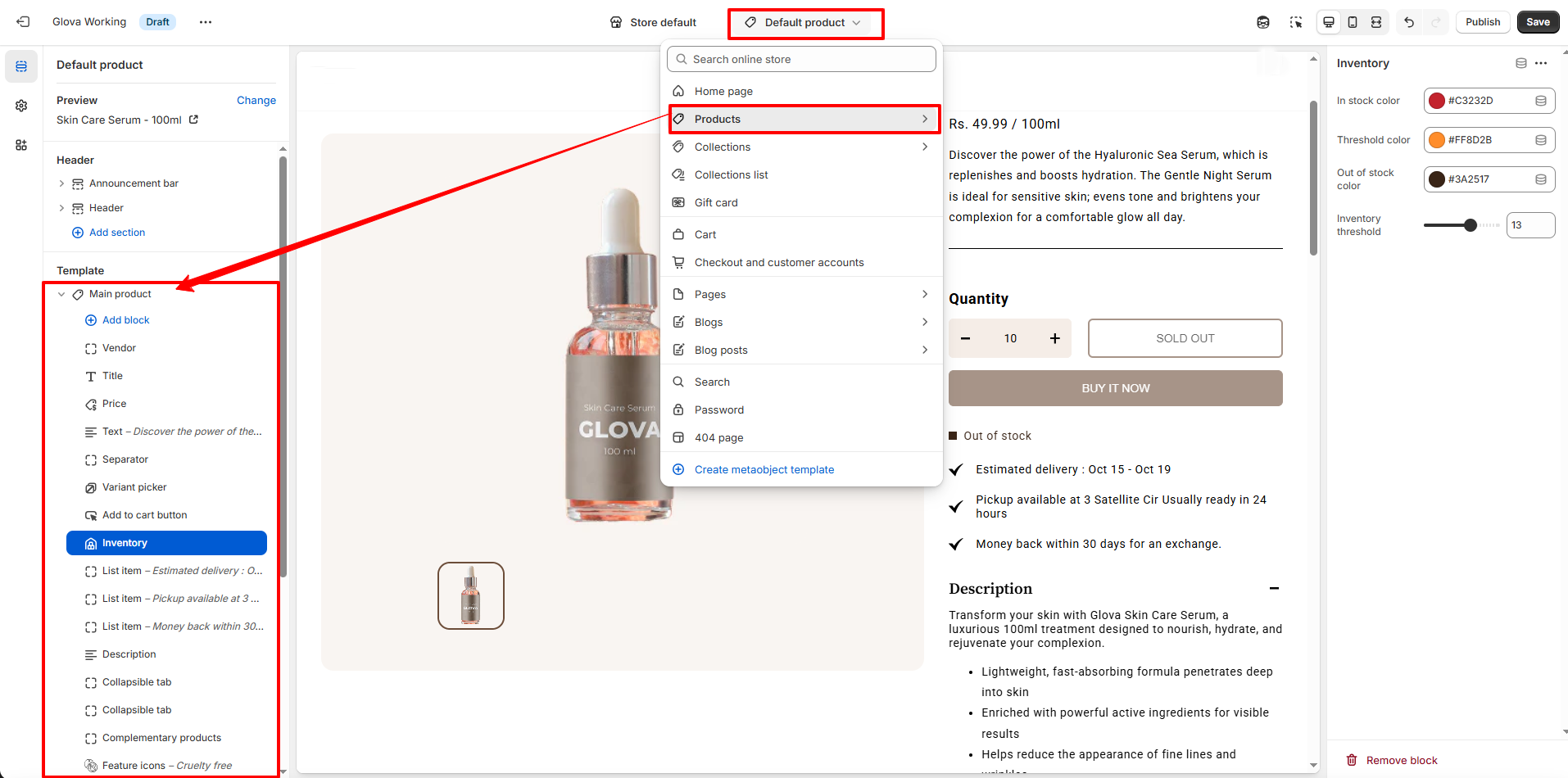
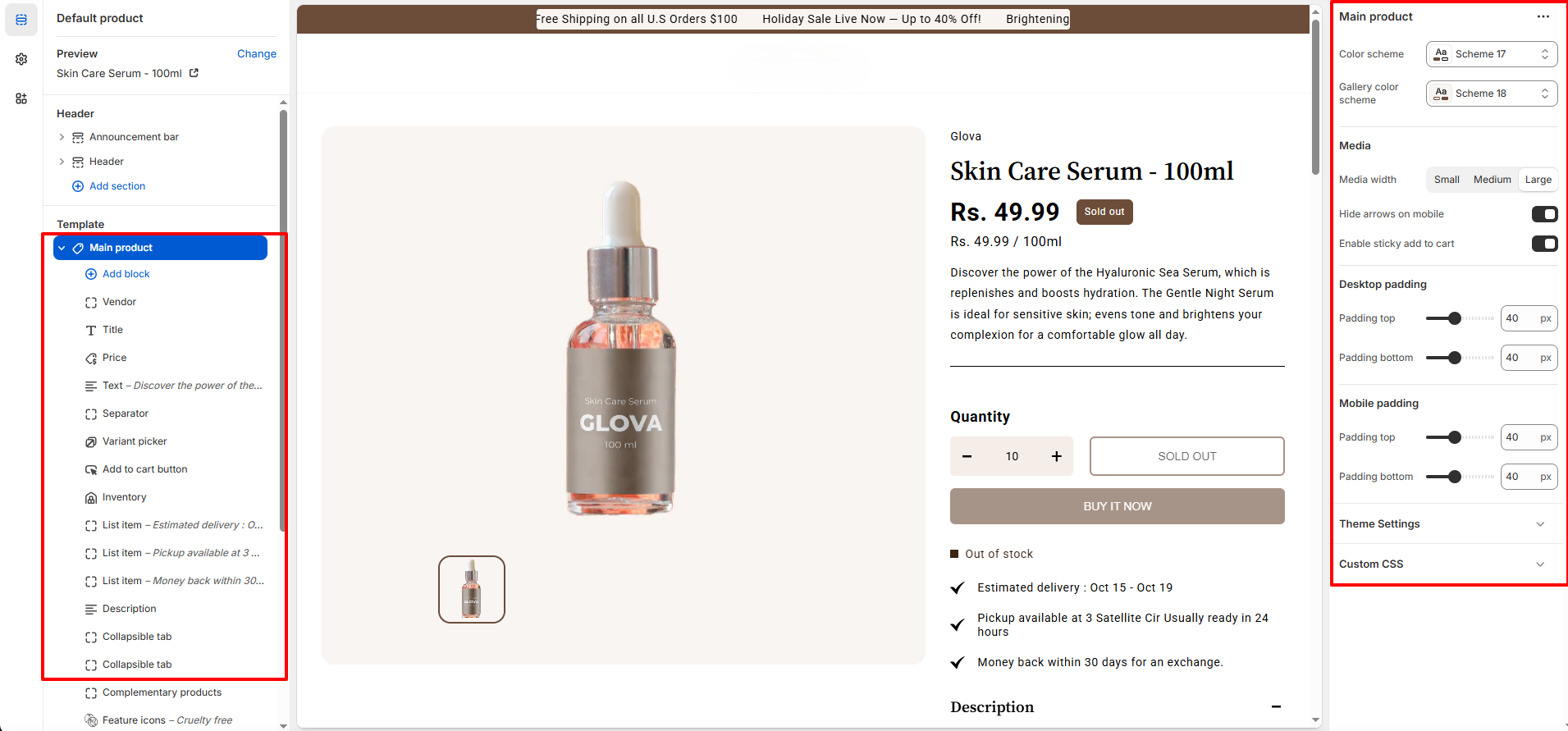
Nexus’s Product Page is block-based, allowing you to easily add,
reorder, or remove content directly from Shopify’s theme editor.
Available Product Page Blocks
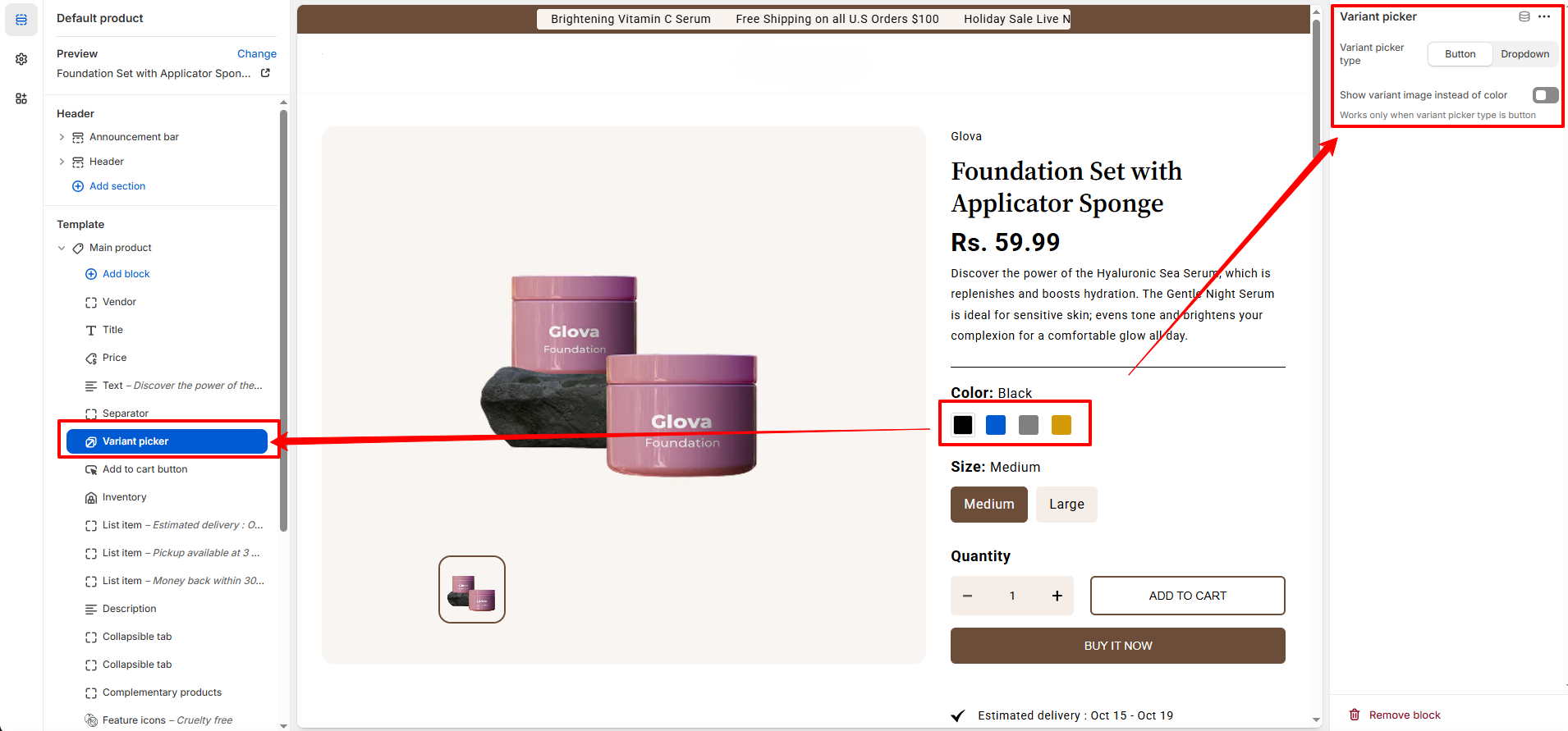
Variant Picker
- Display shades, sizes, or variants as clickable swatches or dropdowns — ideal for makeup and skincare products.
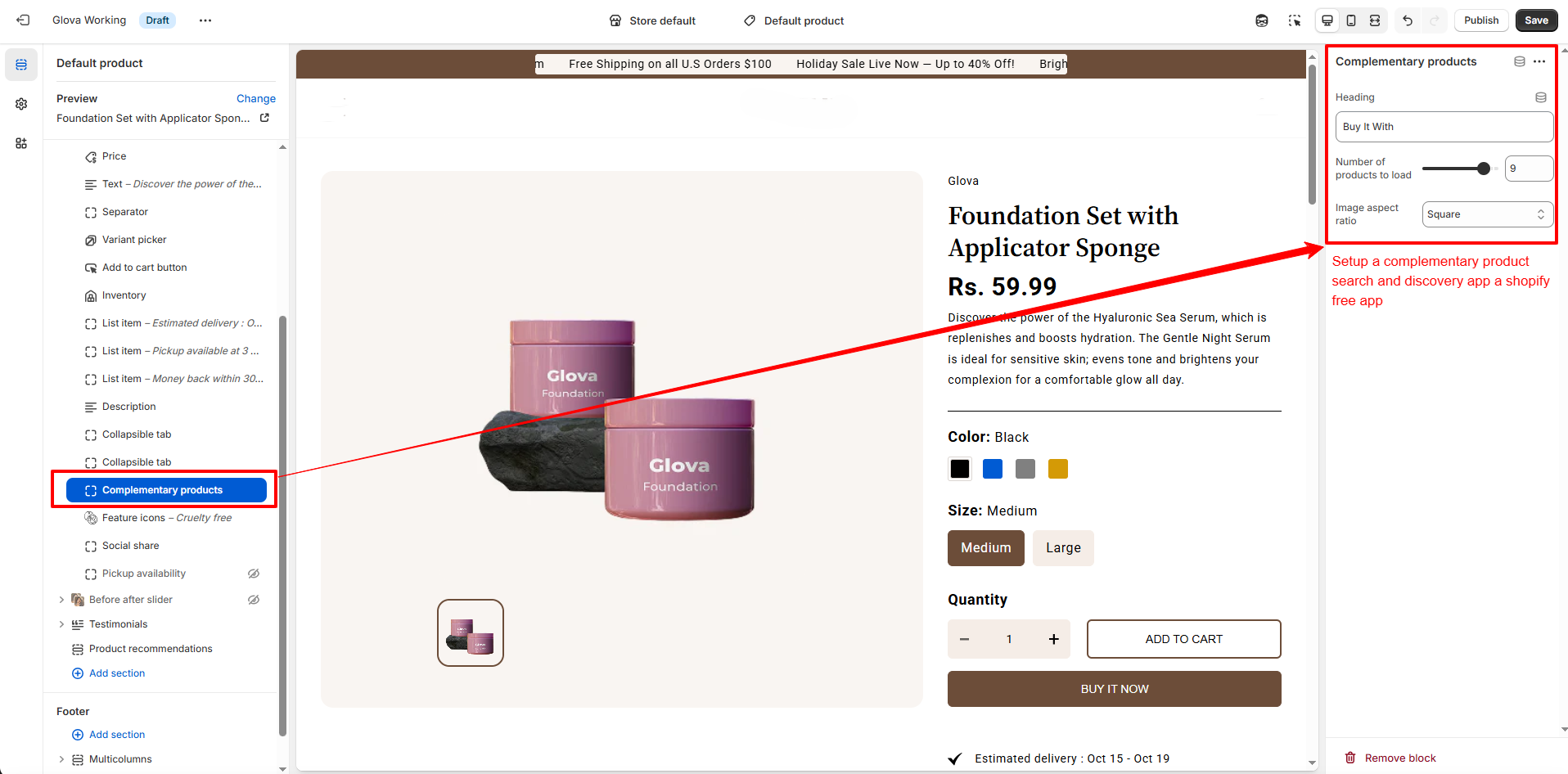
Complementary Products Block
- Recommend related beauty products such as serums, brushes, or skincare routines directly on the product page.
- Increase average order value by promoting “Pairs Well With” items.
- Powered by Shopify Search & Discovery.
How to Add Complementary Products Using Search & Discovery
1. Install the App:
- Install the Search & Discovery app from the Shopify App Store.
2. Assign Complementary Products:
- Open the Search & Discovery app
- Go to Product Recommendations
- Select a product
- Add complementary items
- Save changes
3. Enable the Block in Nexus:
- Online Store → Themes → Customize
- Open the Product template
- Add the Complementary Products block
- Customize the heading and save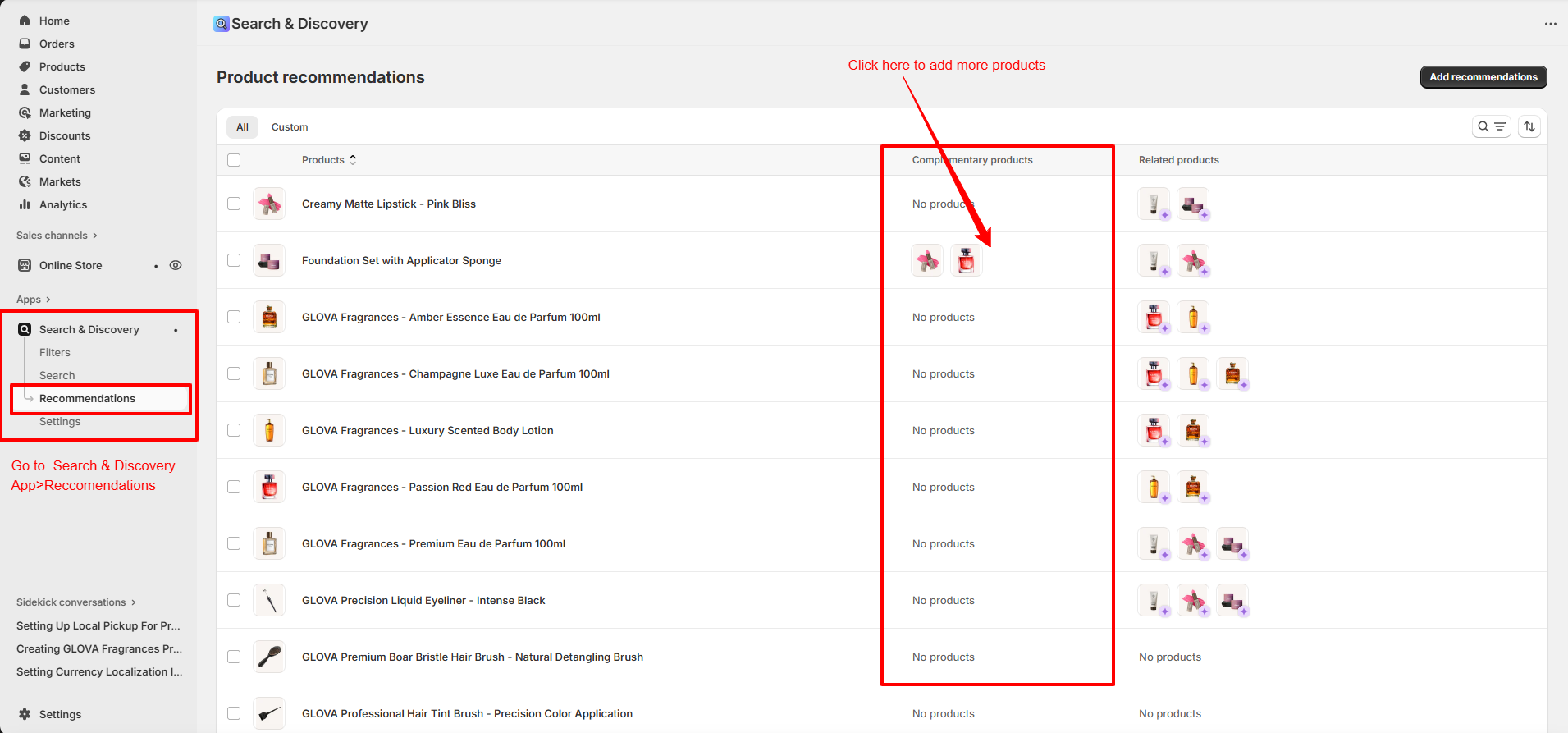
- Install the Search & Discovery app from the Shopify App Store.
2. Assign Complementary Products:
- Open the Search & Discovery app
- Go to Product Recommendations
- Select a product
- Add complementary items
- Save changes
3. Enable the Block in Nexus:
- Online Store → Themes → Customize
- Open the Product template
- Add the Complementary Products block
- Customize the heading and save
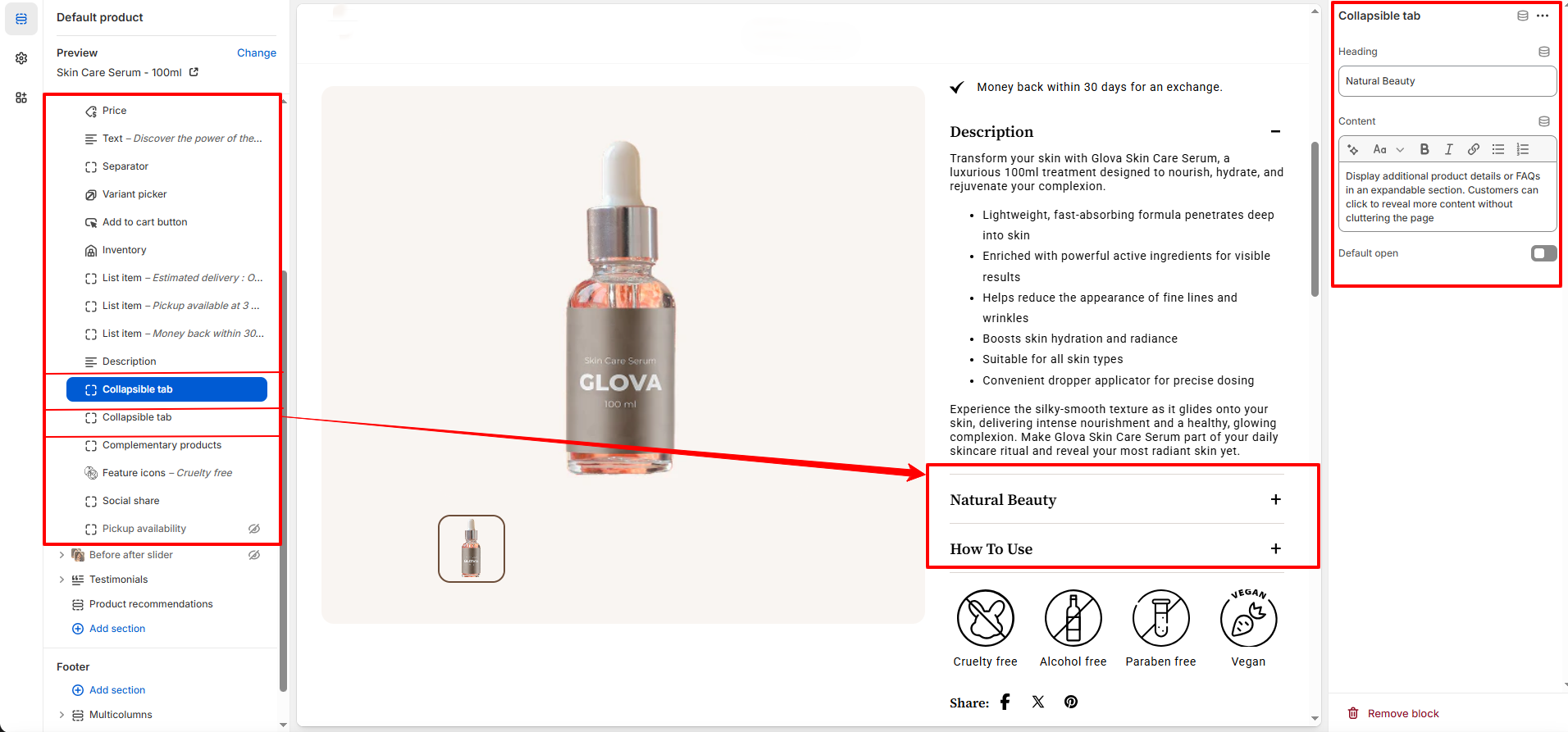
Collapsible Content Block
- Organize additional information in an accordion-style layout.
- Perfect for Ingredients, How to Use, Skin Type, Shipping & Returns, and FAQs.
How to Customize the Product Page
- Go to Online Store → Themes → Customize
- Select Products → Default Product from the top dropdown
- Add, remove, or rearrange blocks as needed
- Adjust settings using Nexus’s theme controls
- Save your changes