Before After Section – Nexus
The Before/After section in Nexus allows you to showcase visual transformations by comparing two images.
This is perfect for stores selling products or services that create a noticeable “before and after” effect (e.g., beauty, home decor, fitness).
Features of the Before/After Section :
- Independent Before/After Blocks : Each block contains its own pair of images and labels. Add,Remove or Rearrange as many blocks as needed .
- Product Tabs / Switcher (Section Level) : The section includes product-style buttons that switch between the different blocks, as shown in the preview.
- Responsive Layout Controls : Adjust spacing and Heading size.
- Custom Labels : Add block-specific Labels(e.g., Shampoo, Lips Scrub, Moisturize, etc).
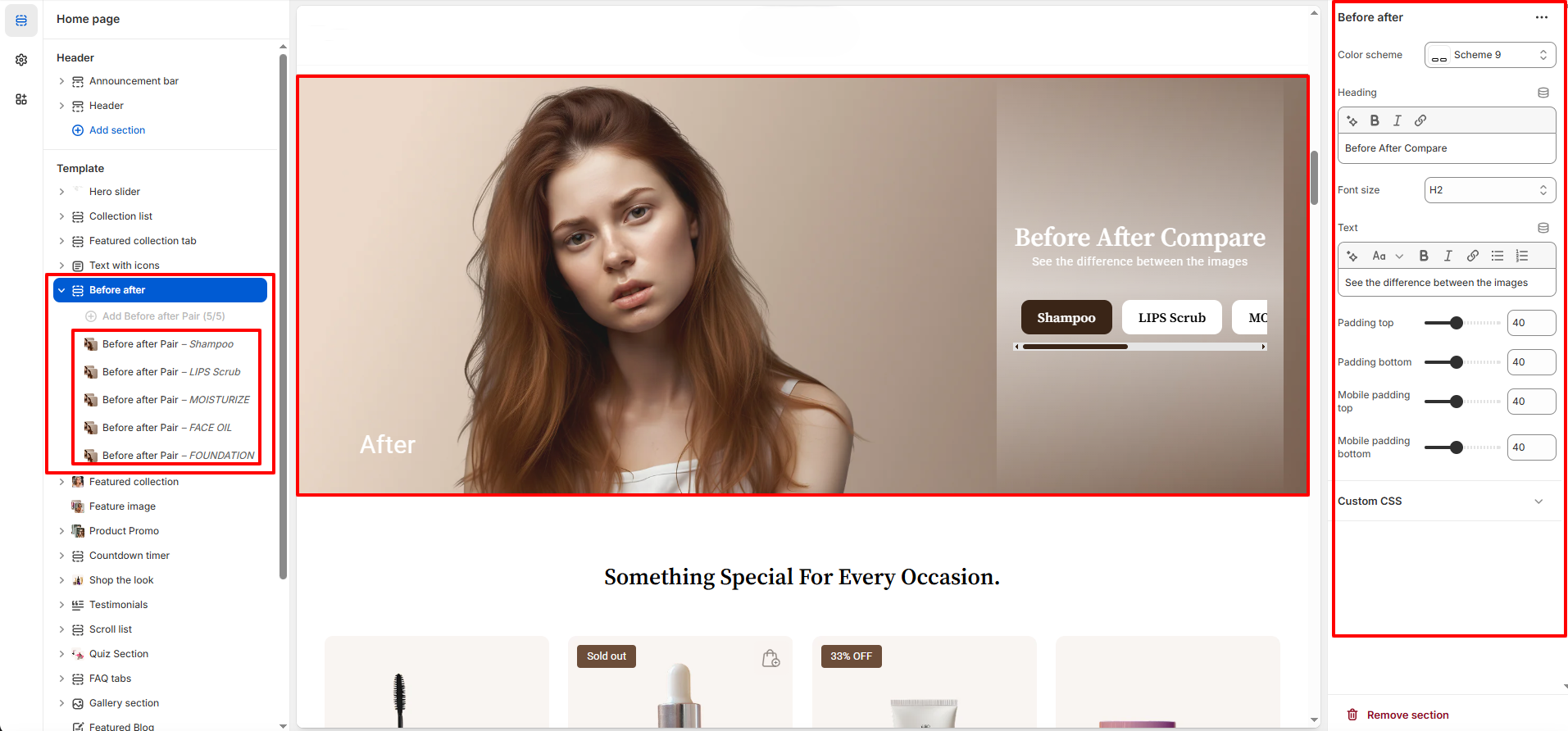
How to Set Up the Before after Section :
- Go to Online Store → Themes → Customize.
- Click Add section and select Before after from the section list.
- In the settings panel, configure the following.
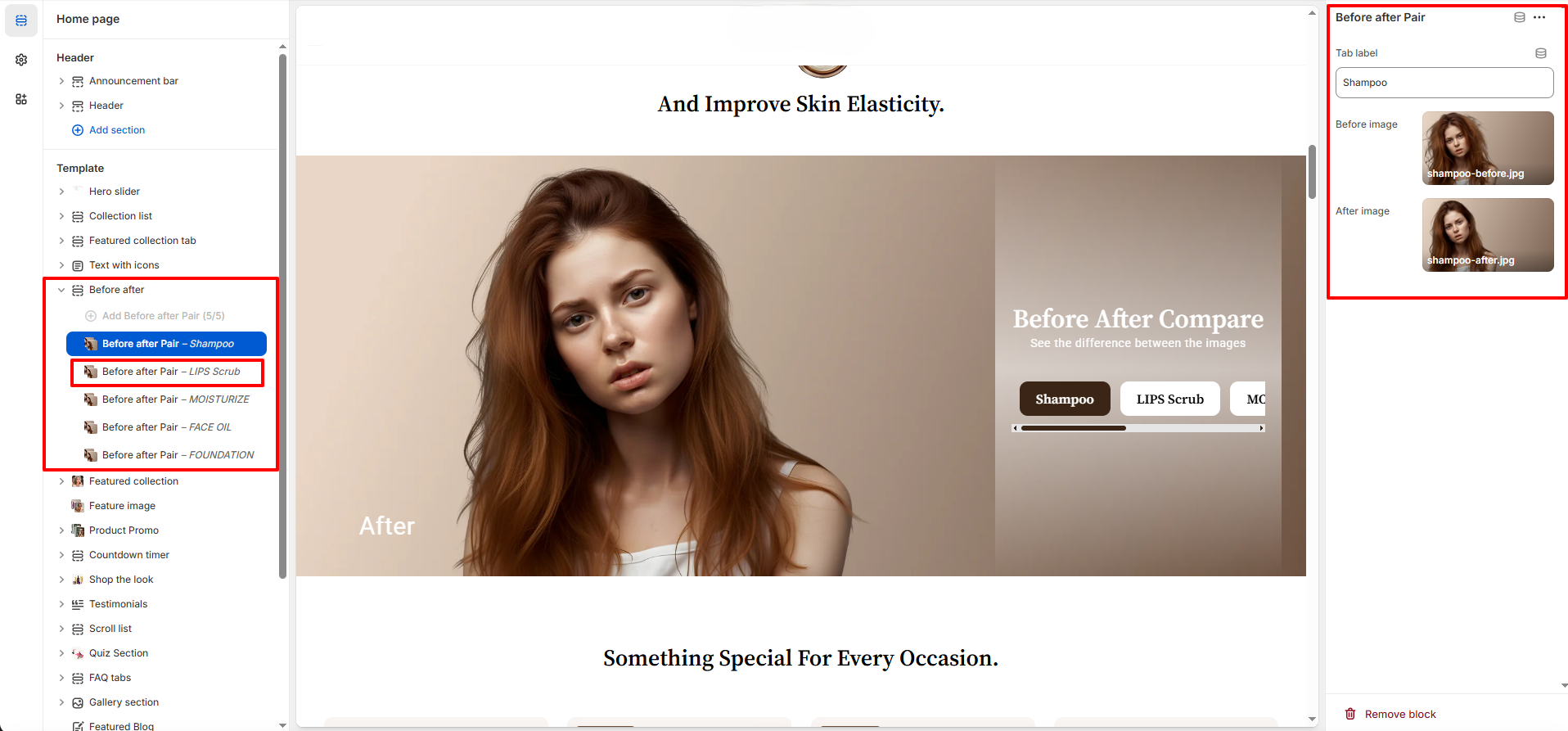
Before/After Section Settings :
-
Before Image : Upload the first image showing the “before”
state
After Image : Upload the second image showing the “after” state. - Label : Add a Label for each block