Countdown Timer Section – Nexus
The Countdown Timer section in Nexus helps create urgency and drive conversions by displaying a live countdown for beauty sales, product launches, and special promotional events.
This section is perfect for highlighting limited-time skincare and makeup offers, encouraging customers to act quickly and boosting overall sales performance.
Features of the Countdown Timer Section:
- Set a custom end date and time for limited-time beauty offers and promotions.
- Add a heading, description, and call-to-action button to highlight special deals.
- Display a live countdown with days, hours, minutes, and seconds.
- Showcase selected beauty products alongside the countdown timer.
- Fully responsive design optimized for desktop, tablet, and mobile devices.
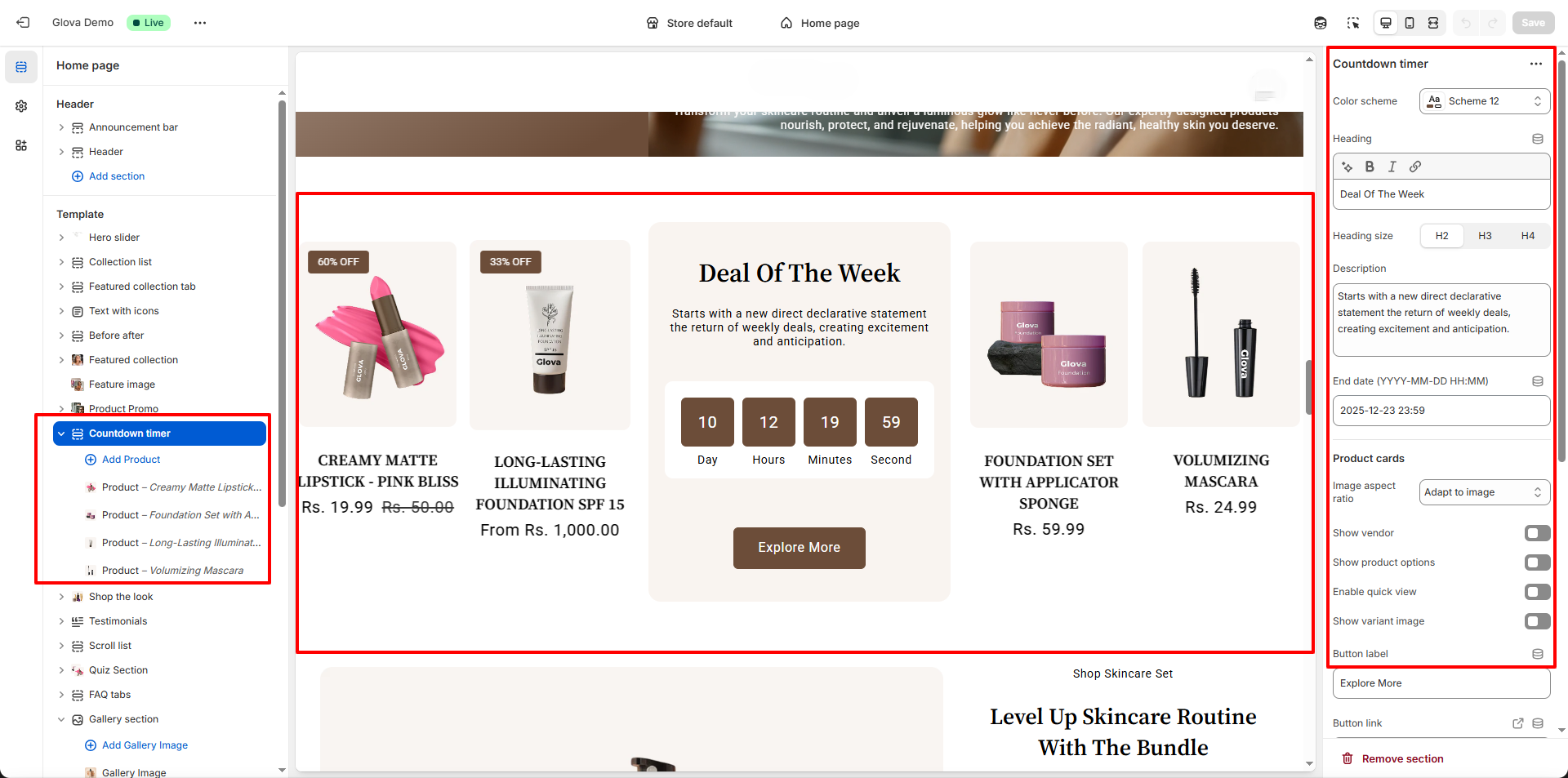
How to Set Up the Countdown Timer Section:
- Go to Online Store → Themes → Customize.
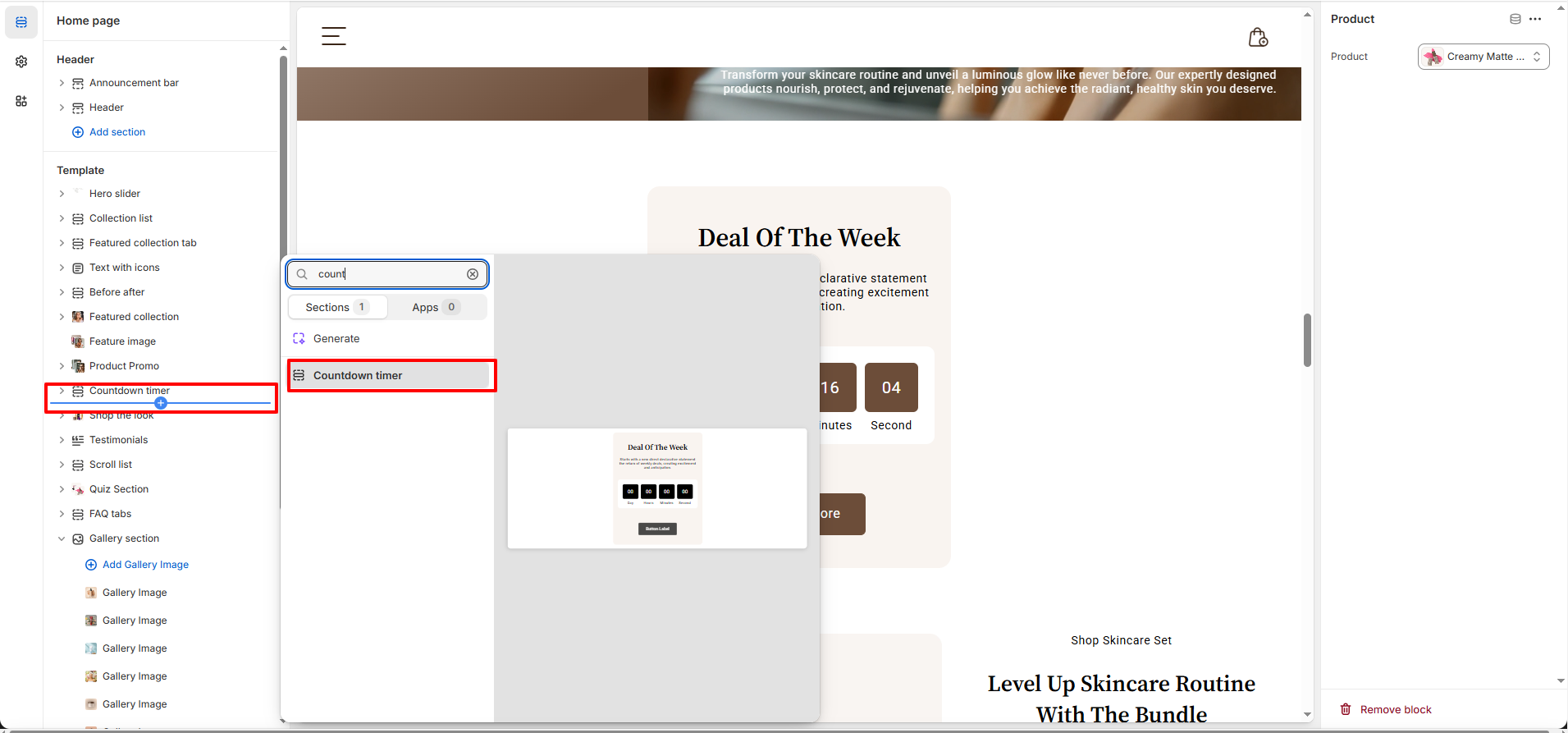
- Click Add section and select Countdown Timer from the section list.
- In the settings panel, configure the following.
Countdown Timer Settings:
- Color Scheme: Select a predefined color scheme to match your Nexus brand styling.
- Heading: Add a main title for the countdown section (e.g., Deal Of The Week).
- Heading Size: Choose the heading size (H2, H3, or H4).
- Description: Add supporting text to describe the beauty offer or promotion.
- End Date & Time: Set when the countdown timer should end (YYYY-MM-DD HH:MM).
- Product Cards: Configure how products are displayed alongside the countdown.
- Image Aspect Ratio: Control how product images are displayed (adapt to image).
- Product Display Options: Toggle vendor name, product options, quick view, and variant images.
- Button Label: Customize the call-to-action button text (e.g., Explore More).
- Button Link: Select the page, collection, or product the button links to.
- Button Style: Select the style of a button primary or secondary.
Countdown Timer Block Settings:
- Product: Select a products to show in Deals.
Pro Tips:
Use the Countdown Timer for weekly beauty deals or limited-edition product launches to create a sense
of exclusivity.
Keep the countdown duration short and pair it with a strong call-to-action button like “Shop Now” or
“Explore More” for higher conversions.