Faq Tab Section – Nexus
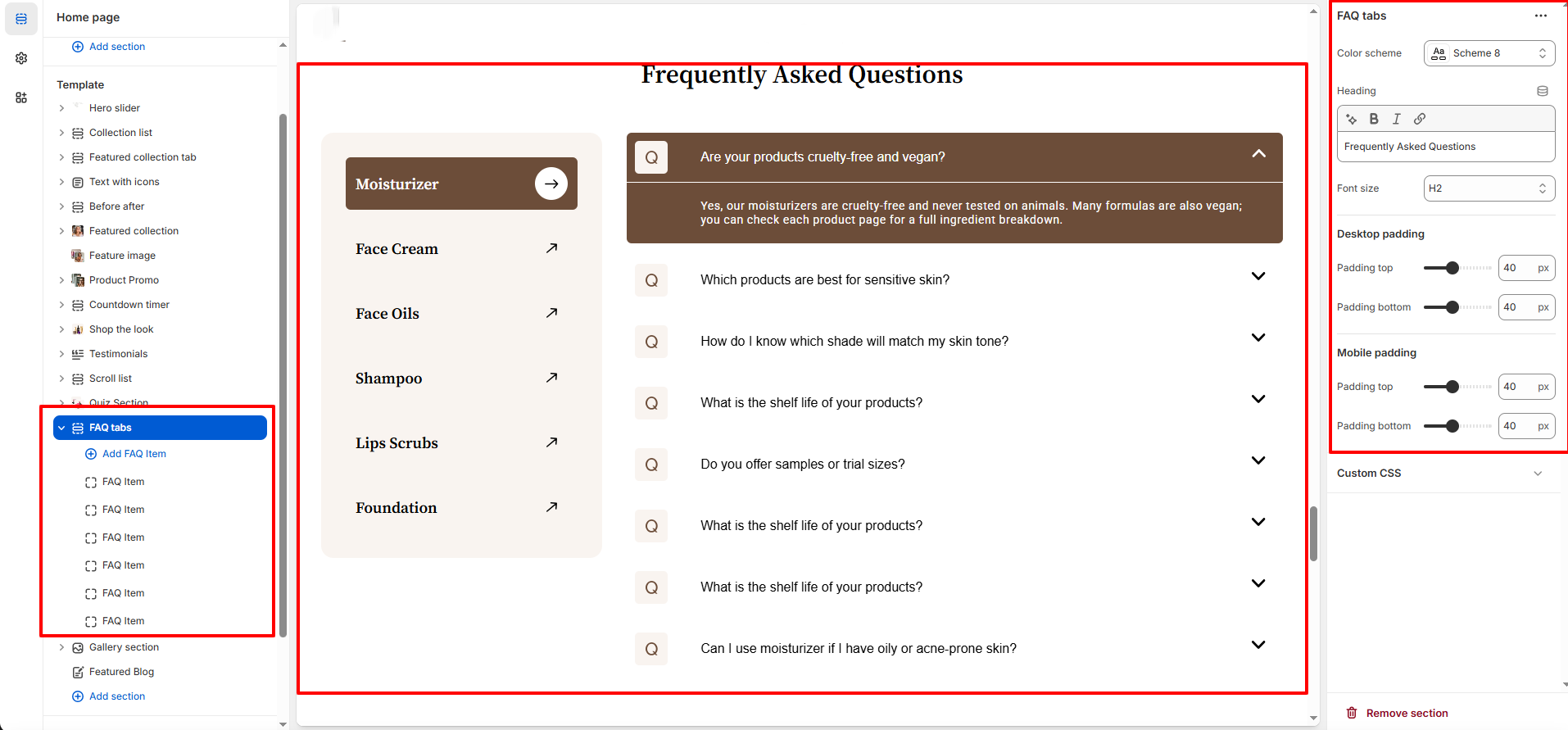
The FAQ Tabs section in Nexus helps you organize and display frequently asked questions in a clean, tab-based layout, making it easy for customers to find answers about your beauty products, ingredients, usage, and policies.
This section is perfect for addressing common skincare and makeup questions, reducing customer support inquiries, and improving user confidence before purchase.
Features of the FAQ Tabs Section:
- Display FAQs in a tabbed layout for easy navigation between product categories.
- Add a customizable section heading to introduce the FAQ area.
- Create multiple FAQ items with expandable question-and-answer accordions.
- Organize questions under different tabs such as Moisturizers, Face Creams, Oils, and Foundations.
- Fully responsive design optimized for desktop, tablet, and mobile devices.
- Adjustable Spacing and color schemes to match the Nexus brand style.
How to Set Up the Faq Tab Section:
- Go to Online Store → Themes → Customize.
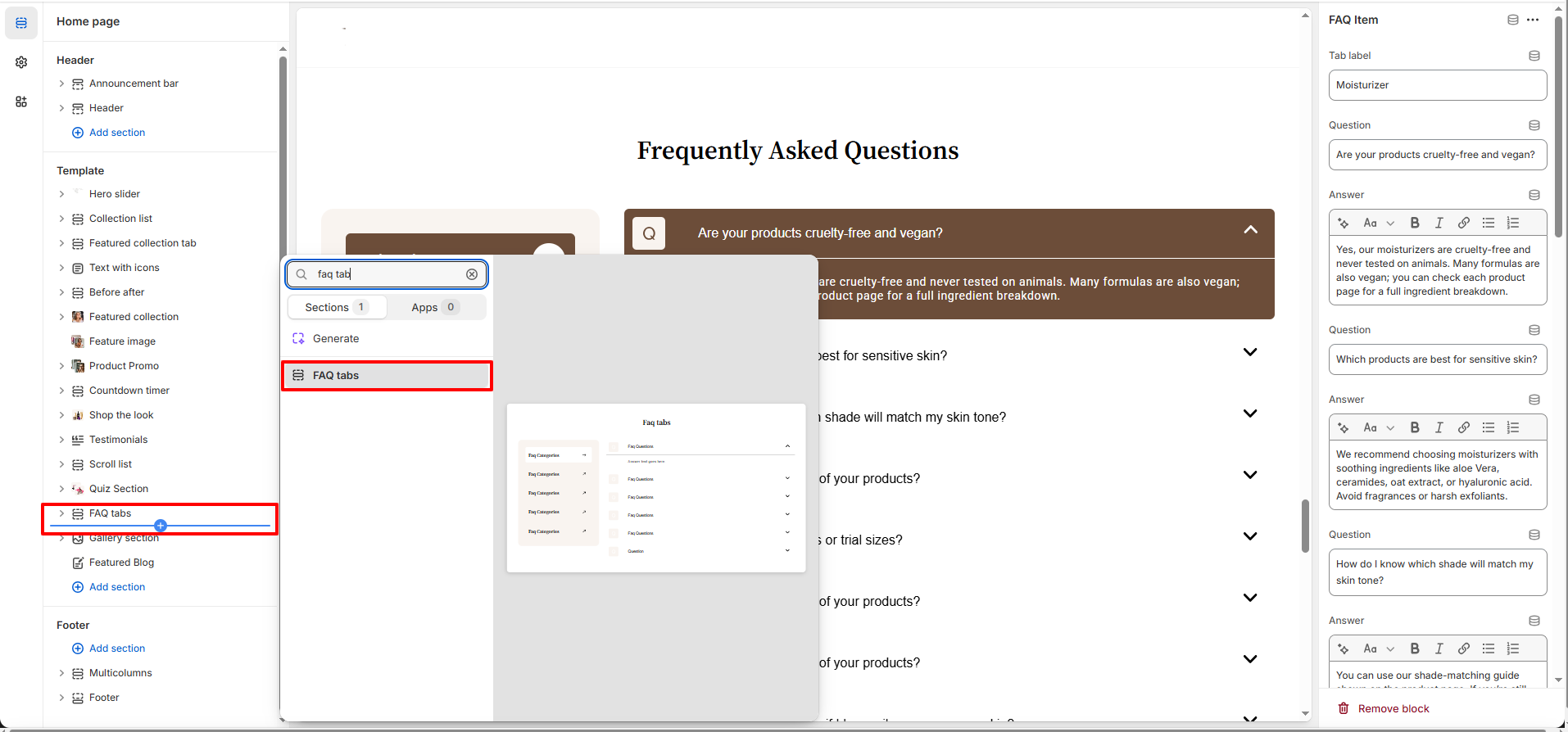
- Click Add section and select Faq Tab section from the section list.
- In the settings panel, configure the following.
FAQ Tabs Settings:
- Color Scheme: Choose from predefined color schemes to match your store’s branding.
- Heading: Add a section title to introduce the FAQ area (e.g., Frequently Asked Questions).
- Font Size: Select the heading size (H2, H3, etc.) for better visual hierarchy.
- Desktop spacing: Adjust the top and bottom Spacing specifically for desktop view.
- Mobile spacing: Customize the top and bottom Spacing for mobile devices to ensure readability.
- FAQ Items: Add, edit, or remove individual FAQ items within each tab.
- Expand/Collapse Behavior: Each FAQ item opens and closes individually to keep the layout clean.
FAQ Item Block Settings:
- Tab Label: Enter the name of the tab (e.g., Skincare, Makeup) that groups the related FAQs.
-
Questions & Answers: Add up to 10 question-and-answer pairs for this tab. Each pair
consists of:
- Question: The text of the customer question.
- Answer: The detailed response or explanation.
Pro Tips:
Use clear, concise questions that reflect common customer concerns to make FAQs easy to scan.
Keep answers short and informative, and include links to relevant products or collections when needed.
Organize FAQs under meaningful tab labels (e.g., Skincare, Makeup) to help users quickly find answers.