Featured Blog Section – Nexus
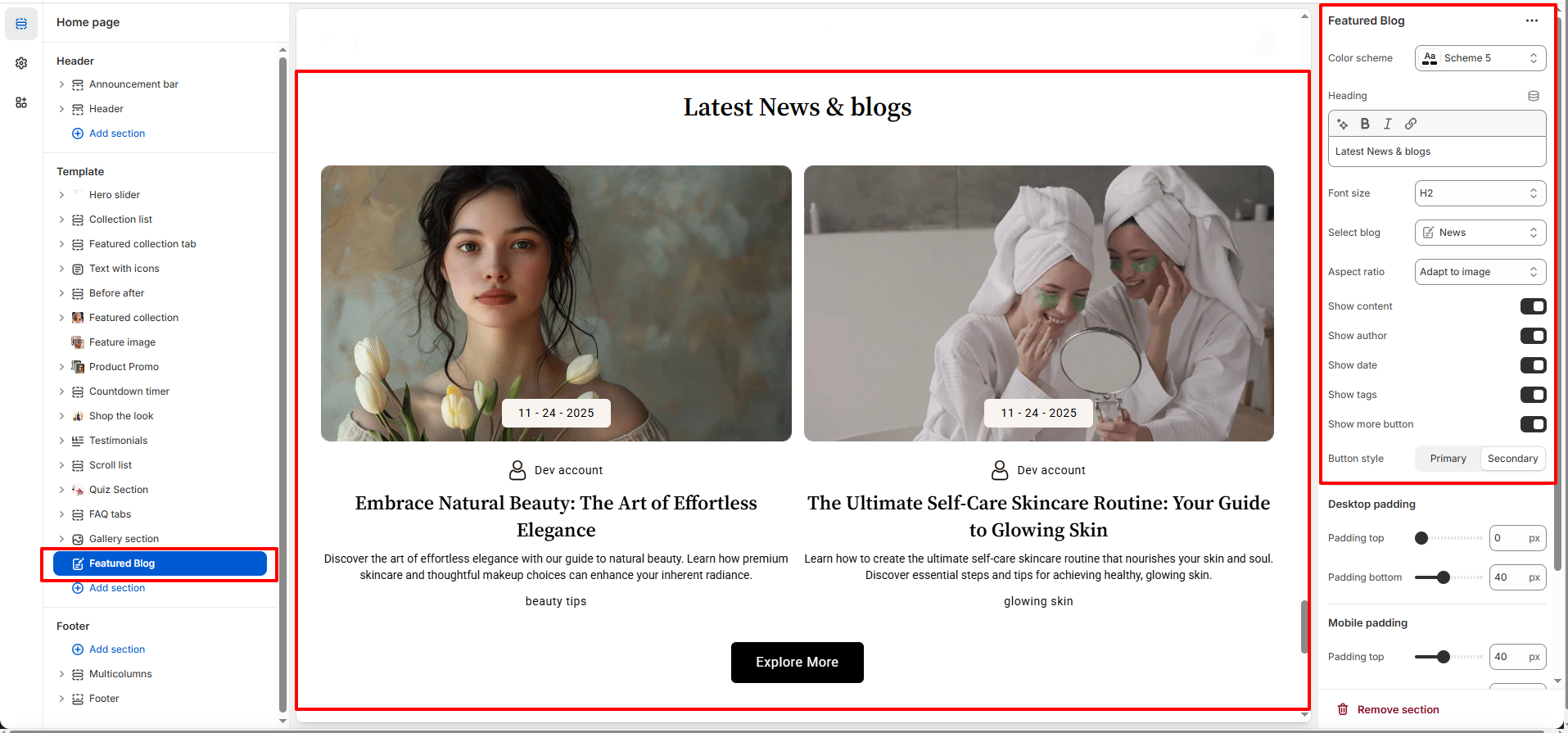
The Featured Blog section in the Glocva theme allows you to showcase your latest or selected blog posts on the homepage or any custom page.
This section is ideal for sharing beauty tips, skincare routines, brand stories, news, and updates, helping you engage customers while improving your store’s SEO.
Features of the Featured Blog Section:
- Highlight Selected Blog Content:Display posts from any Shopify blog to showcase beauty tips, skincare routines, or brand stories.
- Clean & Elegant Presentation:Beautiful image-focused layout designed specifically for beauty and cosmetic brands.
- Flexible Content Controls:Easily show or hide author name, publish date, tags, and call-to-action button.
- Fully Responsive Design:Optimized for seamless viewing across desktop, tablet, and mobile devices.
How to Set Up the Featured Blog Section:
- Go to Online Store → Themes → Customize.
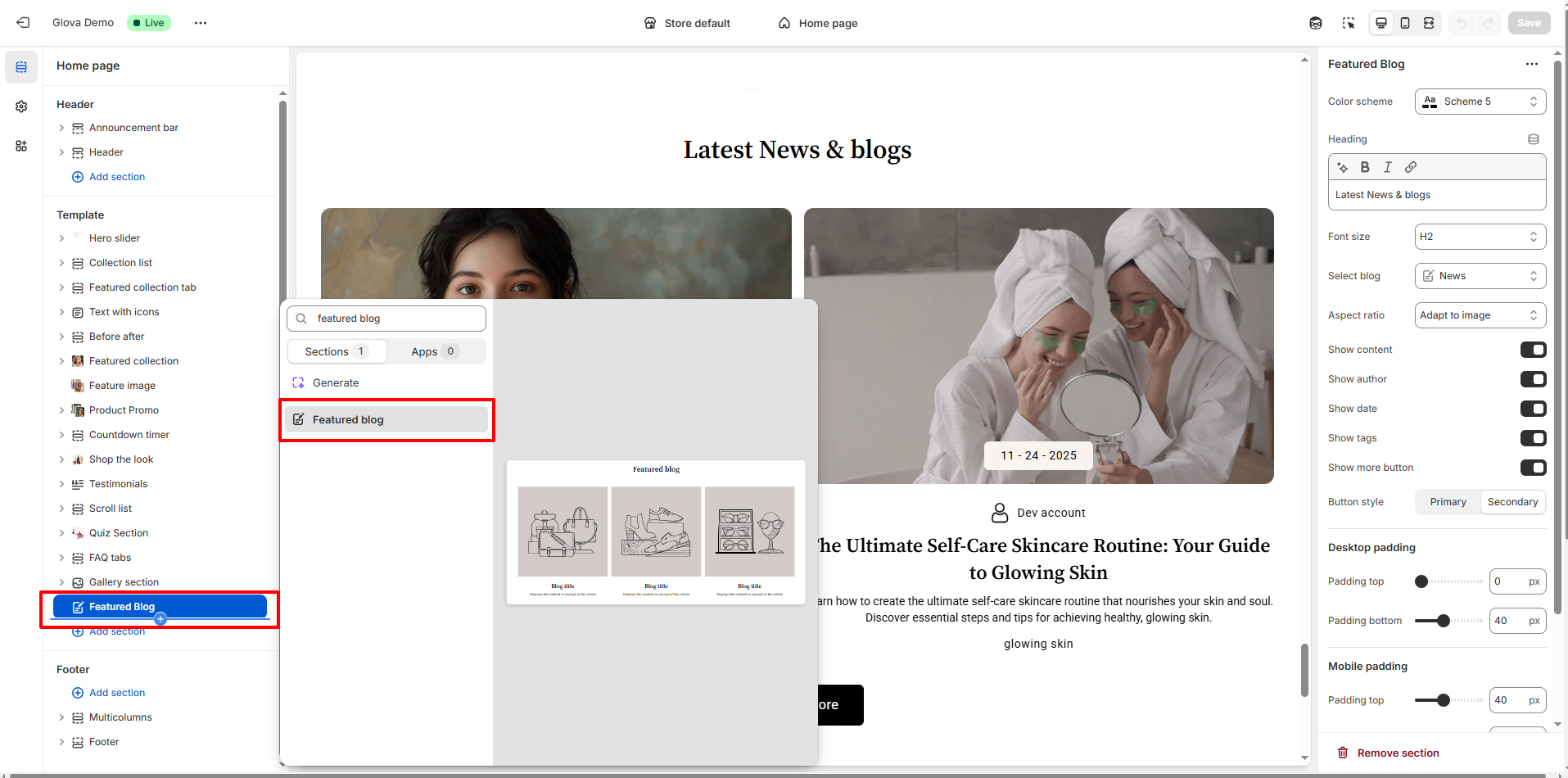
- Click Add section and select Featured Blog from the section list.
- In the settings panel, configure the following.
Featured Blog Settings:
- Color Scheme: Select a predefined color scheme to match your store’s branding.
- Posts to Show: Choose how many recent posts to display per column (2–6 posts).
- Heading: Enter the section title (e.g., Latest News & Blogs).
- Heading Font Size: Choose the heading size (H1–H6).
- Select Blog: Choose which Shopify blog you want to display in this section.
-
Content Display Options:
- Show Author:Enable or disable the author name on blog posts.
- Show Date:Toggle the post publish date.
- Show Tags:Display blog tags below each post.
- Show More Button:Show or hide the call-to-action button (e.g., Explore More).
- Button Style: Select Primary or Secondary button style.
- Image Aspect Ratio:Choose how blog images are displayed or adapt them to the original image size.
Pro Tips:
Feature beauty tips, skincare routines, or brand stories to build trust and
connect with your audience.
Use clear titles and concise excerpts to increase engagement and click-throughs.