Multicolumn Section – Nexus
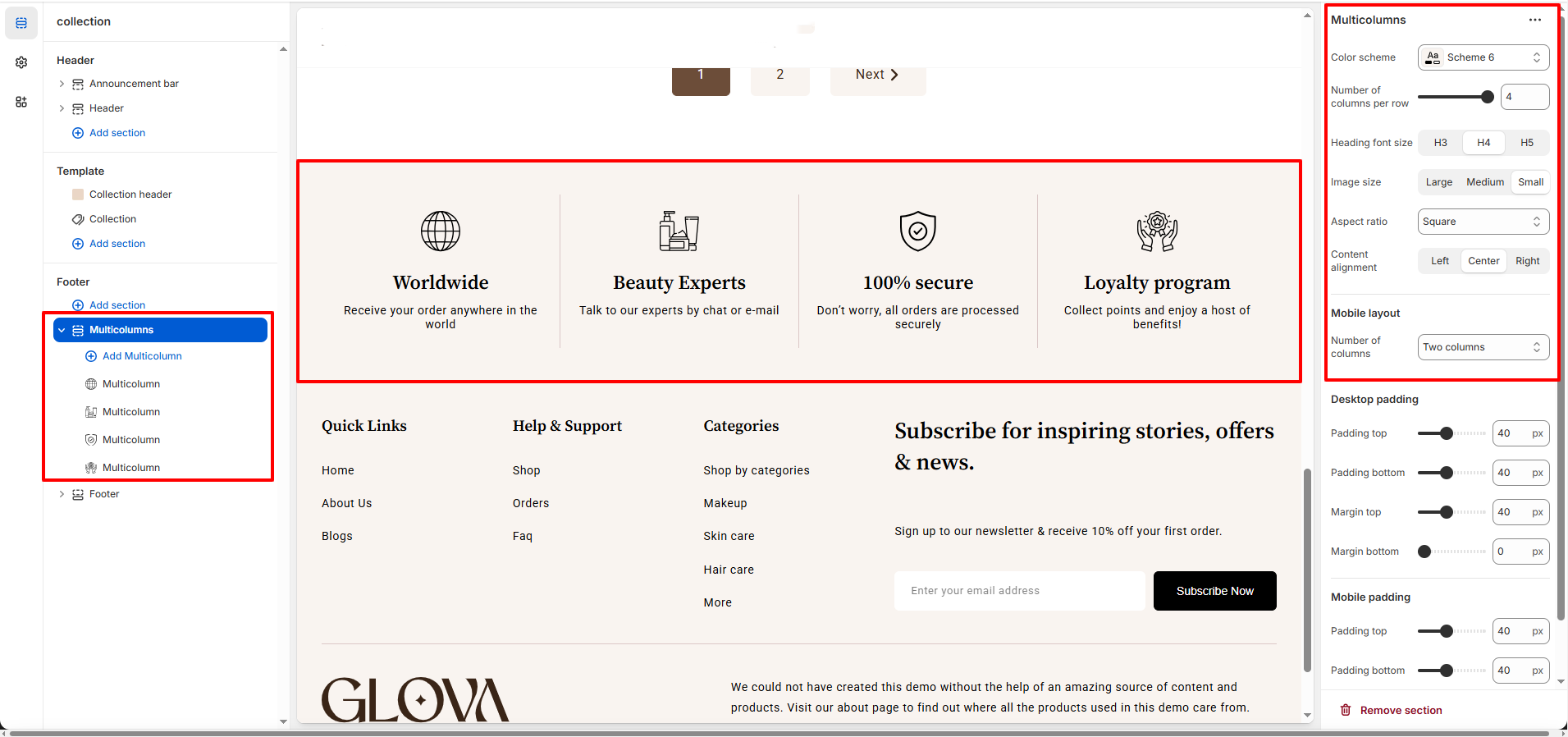
The Multicolumn section allows you to display multiple content blocks in a clean and structured layout, perfect for highlighting key features or services.
It is ideal for showcasing store benefits, guarantees, support options, or important brand values in an easy-to-read format.
Features of the Multicolumn Section:
- Clear Content Organization : Display multiple features or services in a structured, easy-to-read layout.
- Flexible Column Control : Customize the number of columns, alignment, and image sizes.
- Icon & Image Support : Enhance each column with icons or images for better visual impact.
- Fully Responsive Design : Ensures a seamless experience across desktop, tablet, and mobile devices.
How to Set Up the Muticolumn Section:
- Go to Online Store → Themes → Customize.
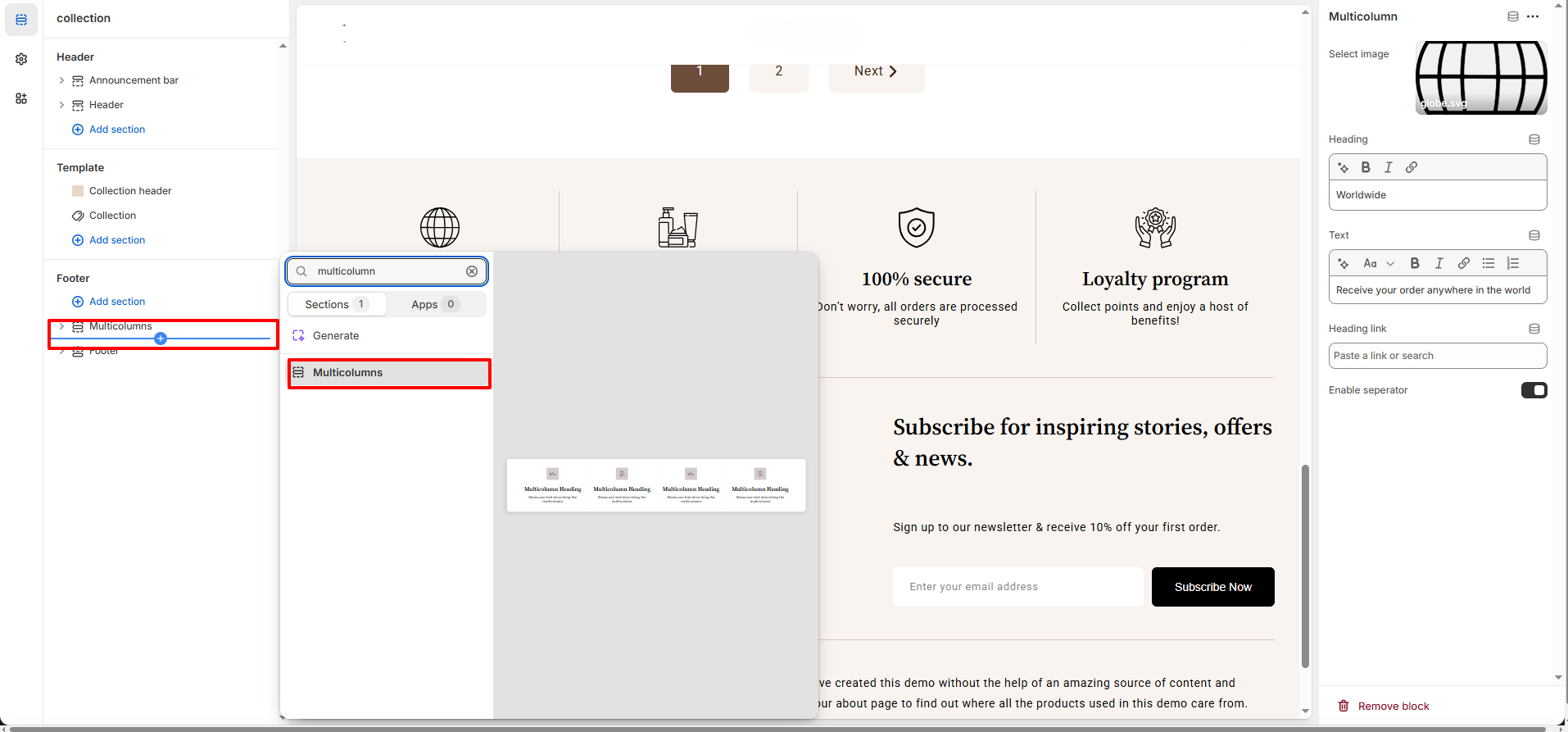
- Click Add section and select Multicolumn from the section list.
- In the settings panel, configure the following.
Multicolumn Section Settings:
- Color Scheme: Choose a color scheme that matches your store branding.
- Heading Font Size: Select the heading size (H3, H4, or H5).
- Number of Columns (Desktop): Control how many columns appear per row on desktop.
- Number of Columns (Mobile): Control how many columns appear per row on mobile devices.
- Image / Icon Size: Set the size of images or icons (Large, Medium, Small).
- Aspect Ratio: Choose the shape of images/icons (Square, Portrait, etc.).
- Content Alignment: Align text and images to Left, Center, or Right.
-
Spacing:
- Desktop Spacing & Margin: Adjust top and bottom spacing for desktop view.
- Mobile Spacing: Customize spacing specifically for mobile screens.
Multicolumn Block Settings:
- Image / Icon: Upload an image or icon for each column.
- Heading: Add a short title for the column.
- Text: Enter a brief description or supporting content.
- Link:Link for redirections.
Pro Tips:
Use simple icons and concise headings to make key features easy to scan.
Keep text consistent in length across columns for a balanced and visually appealing
layout.