Product Promo Section – Nexus
The Product Promo section in the Nexus theme allows you to highlight a featured product with a modern, split-layout design. This section combines product imagery, promotional text,and a clean navigation slider—ideal for showcasing star items, new arrivals, or seasonal hero products.
Features of the Product Carousel Section:
- Image or Video Highlight: Upload a high-quality image or short promotional video to visually introduce the product. This media appears as a large hero visual on the right side of the section.
- Product Slider With Navigation Arrows: Showcase multiple products (or product variants) using the built-in slider on the left. Navigation arrows allow users to scroll through items easily.
- Customizable Heading & Description: Add a bold headline (e.g., “Radiant Skin, Unlocked”) with supporting text to describe benefits, key ingredients, or brand messaging.
-
Product Options & Interaction: Options vary based on settings
- Show vendor
- Show product options
- Enable quick view
- Show variant images
- Fully Responsive Design: The layout adapts smoothly across desktop and mobile, ensuring the product presentation looks premium on any device.
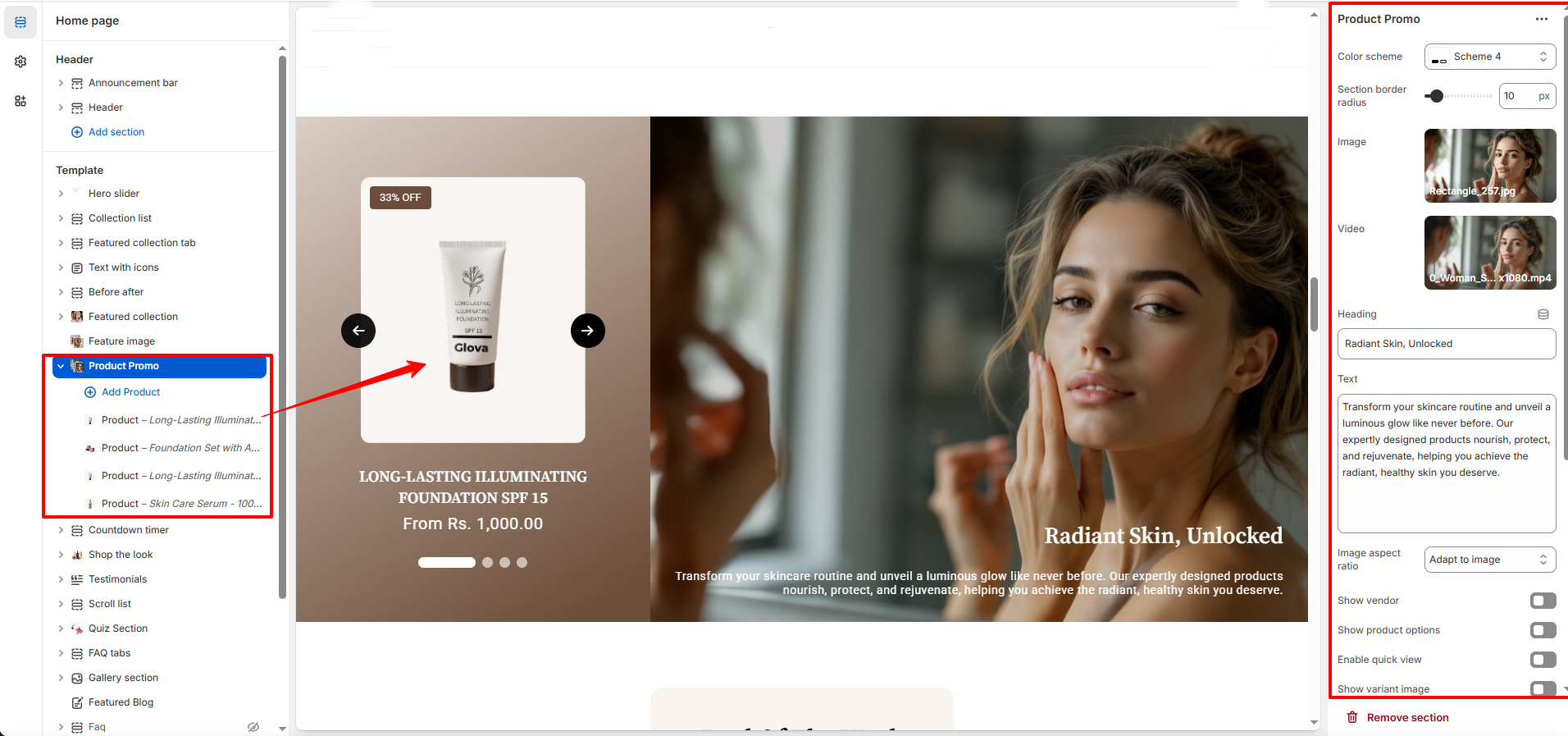
How to Set Up the Product Promo Section:
- Go to Online Store → Themes → Customize.
- Scroll to the Product Promo section or add it by clicking Add section → Product Promo.
- In the settings panel, configure the following.
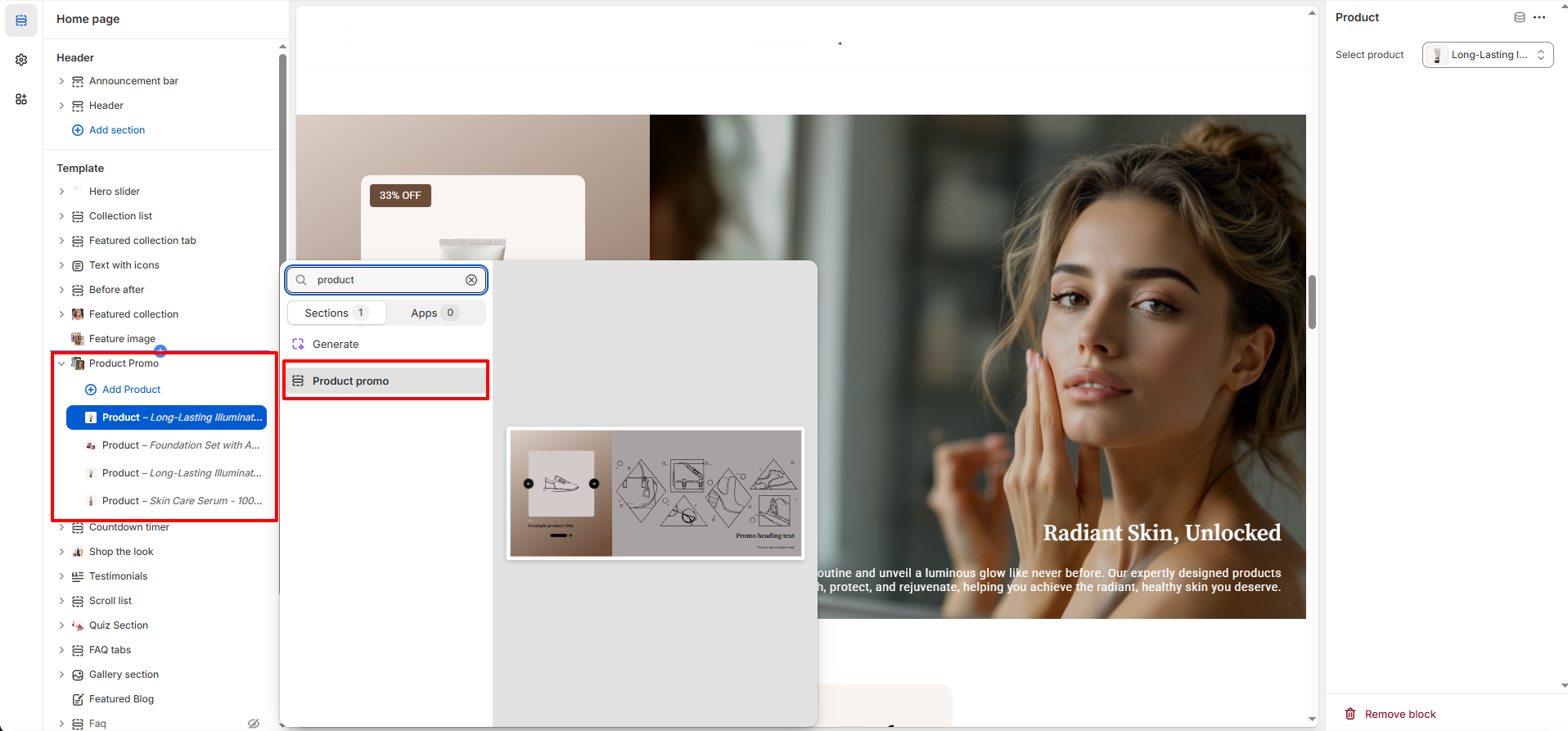
Product Promo Settings:
- Color Scheme: Choose the color scheme that best fits your section’s appearance and overall theme style.
- Section Border Radius: Adjust the border radius to give the section softer, rounded edges or a clean, sharp look.
- Image Upload: Upload the main promotional image that appears on the right side of the section.
- Video Upload (Optional): Add a promotional video to create a more dynamic and engaging presentation. The video replaces or complements the main image.
- Heading: Enter a bold, attention-grabbing title that appears over the promo image or video (e.g., “Radiant Skin, Unlocked”).
- Text: Add descriptive content to highlight product benefits, features, or marketing messages.
- Image Aspect Ratio: Choose how the image fits within the section—e.g., “Adapt to image” or fixed aspect ratios for consistent layout.
- Show Vendor: Toggle ON to display the vendor name for the promoted product.
- Show Product Options: Enable this to display selectable product options such as shade, size, or variant type.
- Enable Quick View: Allow customers to quickly preview the product details without leaving the current page for a smoother shopping experience.
- Show Variant Image: Display different variant images inside the product slider to help customers explore options visually.
Pro Tips:
Highlight hero products, seasonal launches, or limited editions to capture attention. Pair with a
bold headline and high-quality image/video for maximum impact.