Testimonial Section – Nexus
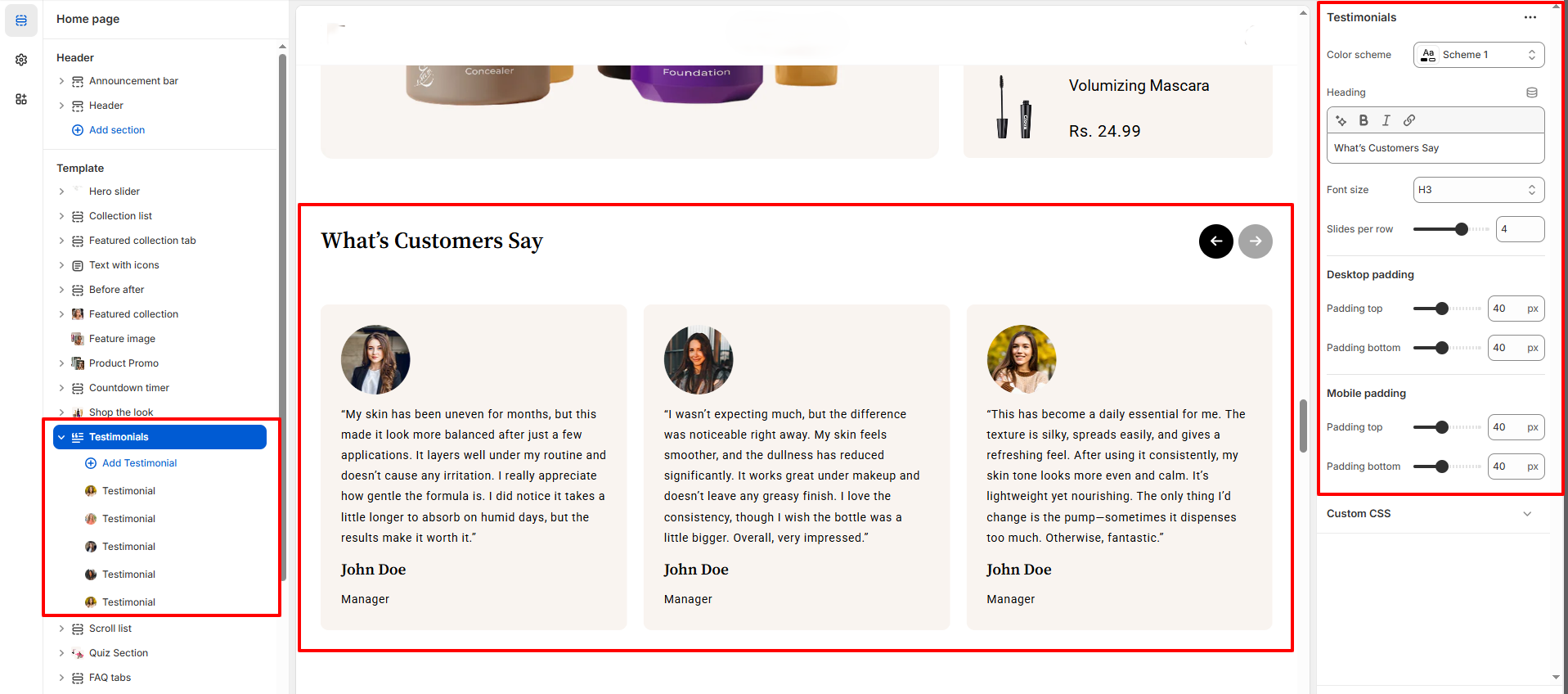
The Testimonials section allows you to showcase real customer feedback in an elegant slider layout, helping build trust and credibility for your beauty brand.
This section is perfect for highlighting skincare results, product experiences, and customer satisfaction.
Features of the Testimonial Section:
- Trust-Building Customer Reviews : Display authentic testimonials to increase confidence and conversions.
- Elegant Slider Layout : Clean, modern carousel design tailored for beauty and cosmetic stores.
- Flexible Display Control : Adjust the number of testimonials shown per row.
- Fully Responsive Design : Optimized for smooth viewing on desktop, tablet, and mobile devices.
How to Set Up the Testimonial:
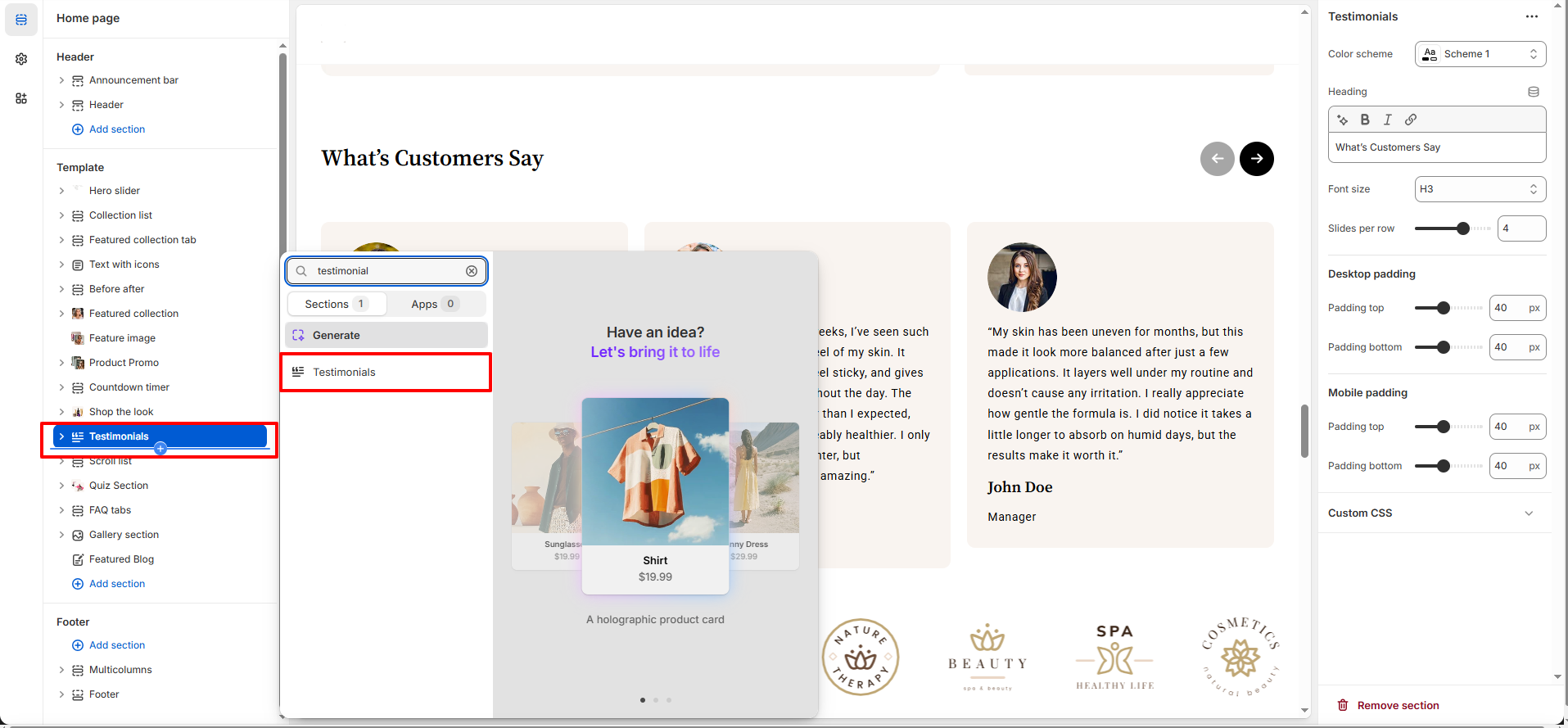
- Go to Online Store → Themes → Customize.
- Click Add section and select Testimonial from the section list.
- In the settings panel, configure the following.
Testimonial Settings:
- Color Scheme: Choose a color scheme that matches your brand style.
- Heading: Enter the section title (e.g., What’s Customers Say).
- Font Size : Select the heading size (H1–H6).
- Control how many testimonials appear at once (desktop view). : Select the heading size (H1–H6).
Testimonial Block Settings :
- Author Image: Upload a customer profile image.
- Review Text: Add the review or quote.
- Author Name: Enter the Author name.
- Author Subtext: Enter the Author Subtext
Pro Tips:
Use real customer photos and detailed feedback to build authenticity and trust.
Highlight testimonials that mention visible results or specific product benefits.