Blog Post – Nexus
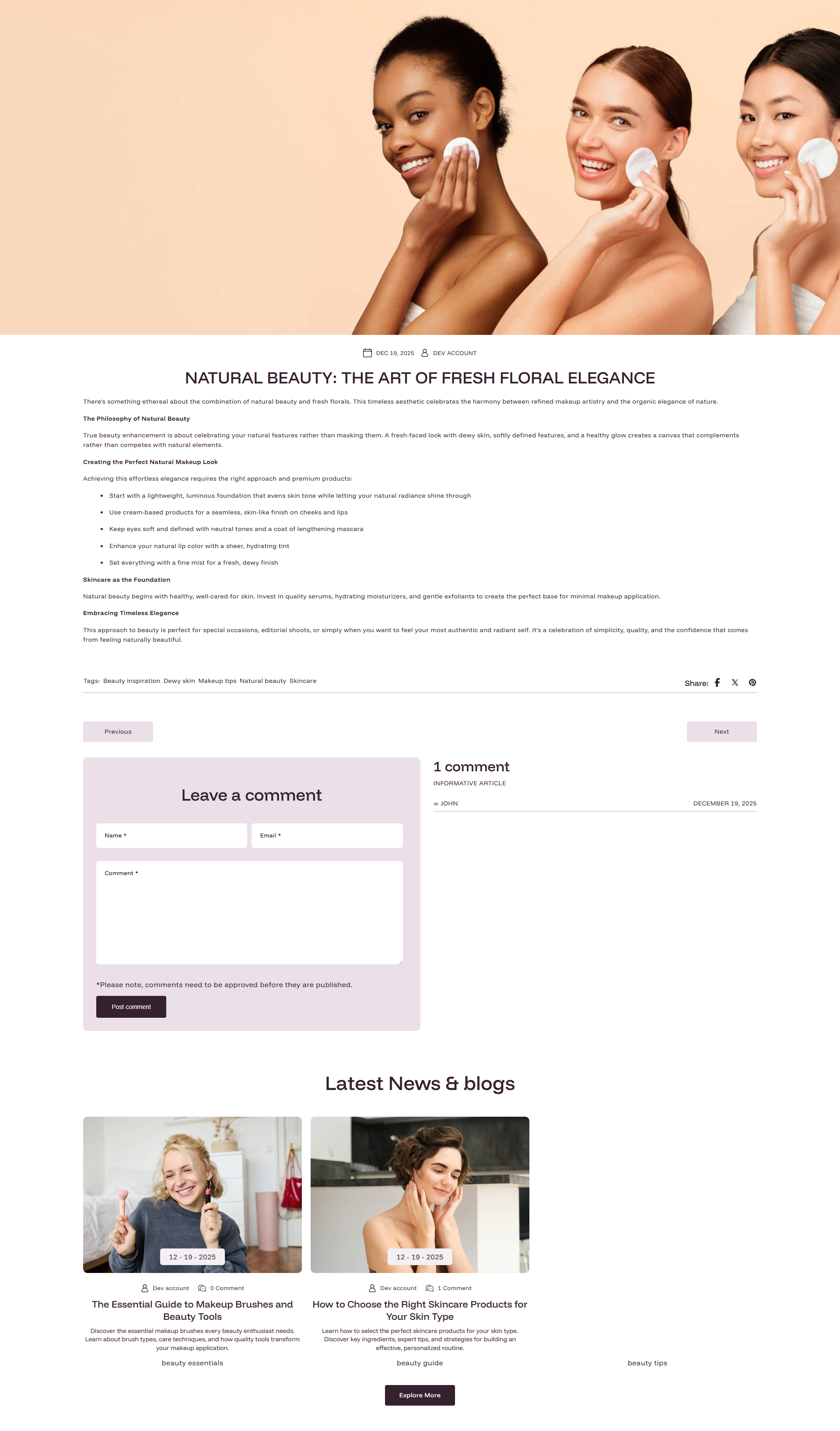
The Nexus theme includes a fully customizable Article Main section that controls how each individual blog post page looks and behaves. You can access and adjust these settings directly from the Shopify Theme Editor. Each blog post page beautifully showcases your article with:
- The eye-catching title, publication date, and author name.
- A striking featured image or other media to draw readers in.
- Tags and social share icons to boost reach.
- A comments block for engaging with your readers.
Article Main Section Settings
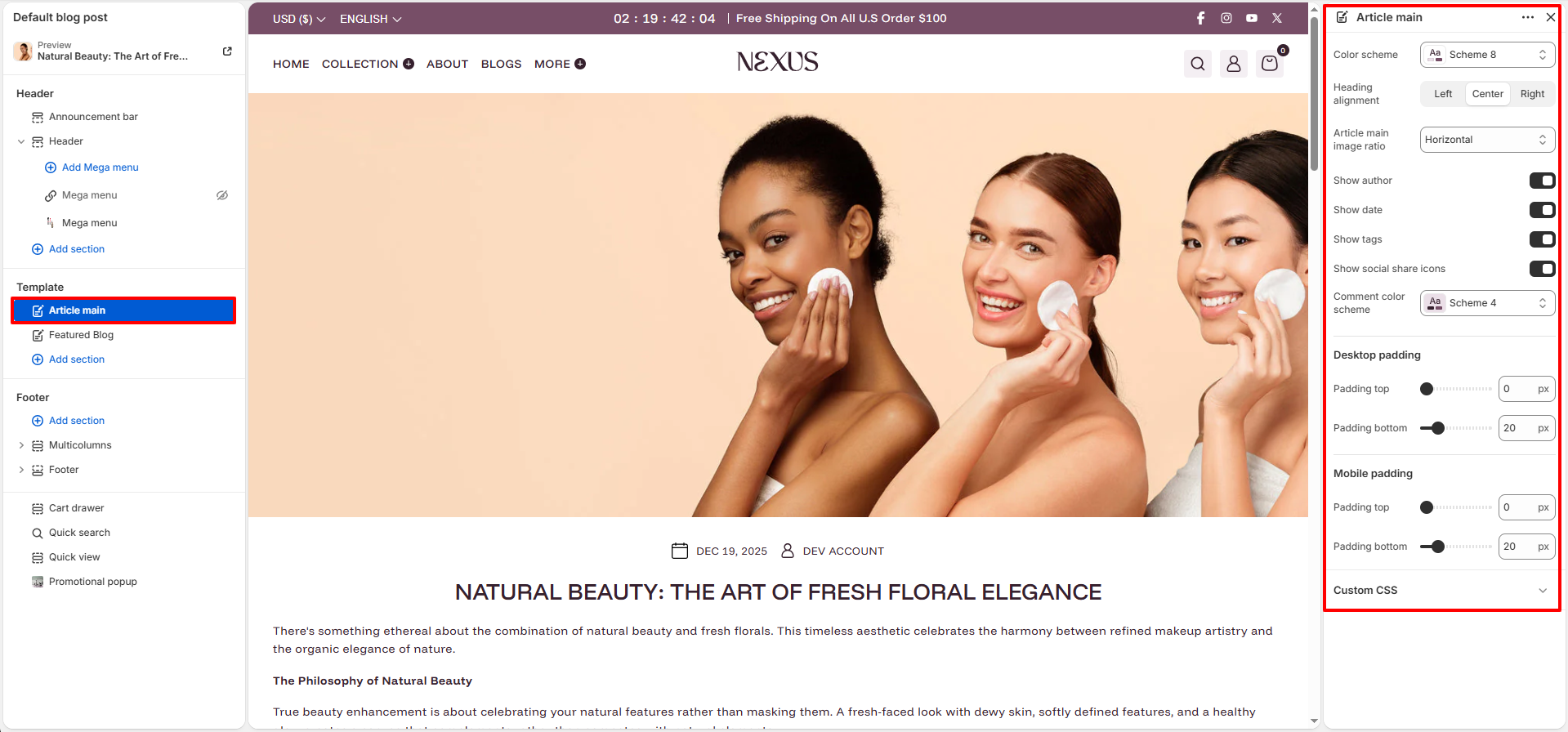
- Color scheme: Select a color scheme (e.g., Scheme 8) to define the background and text colors for the blog post page.
- Heading alignment: Choose how the article title is aligned on the page. Options are Left, Center, or Right.
- Article main image ratio: Control the aspect ratio of the featured hero image displayed at the top of the blog post. Choose Horizontal, Vertical, Square, or Adapt (uses the image's original dimensions).
- Show author: Toggle on to display the author's name below the article title, giving your posts a personal touch.
- Show date: Toggle on to display the article's publication date alongside the author info.
- Show tags: Toggle on to display the tags associated with the blog post, helping readers discover related content.
- Show social share icons: Toggle on to display social media sharing icons (e.g., Facebook, Twitter, Pinterest) on the article page so readers can easily share your content.
- Comment color scheme: Select a separate color scheme (e.g., Scheme 4) specifically for the comments section at the bottom of the blog post.
- Desktop padding top / bottom: Control the vertical spacing above and below the article content on desktop screens (e.g., 0 px top, 20 px bottom).
- Mobile padding top / bottom: Control the vertical spacing above and below the article content on mobile screens (e.g., 0 px top, 20 px bottom).
How to Customize the Blog Post Page
- Go to Online Store → Themes → Customize.
- From the top page dropdown, select Blogs → Default blog post (or any specific blog post).
- Click Article main in the left sidebar under the Template section.
- Adjust the settings as needed — color scheme, image ratio, toggles for author, date, tags, social share, and padding values.
- Click Save to apply your changes.