Featured Blog Section – Nexus
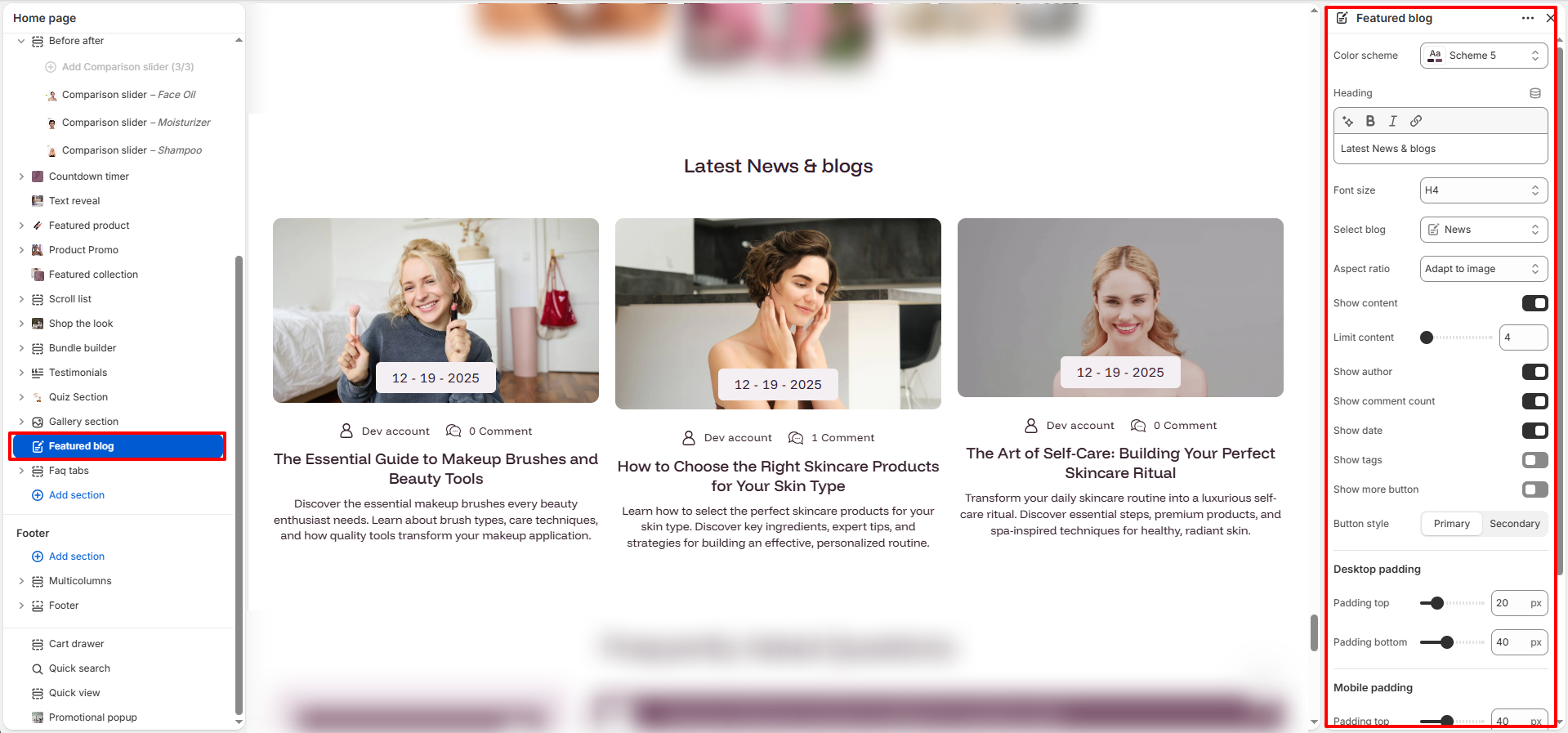
The Featured Blog section in the Nexus theme allows you to showcase your latest or selected blog posts on the homepage or any custom page.
This section is ideal for sharing beauty tips, skincare routines, brand stories, news, and updates, helping you engage customers while improving your store’s SEO.
Featured Blog Settings:
- Color scheme: Select a predefined color scheme to match your store branding and section appearance.
- Heading: Enter the title displayed at the top of the Featured Blog section.
- Font size: Choose the heading size (H1–H6) to control visual hierarchy.
- Select blog: Choose the Shopify blog whose articles will be displayed in this section.
- Aspect ratio: Control how featured article images are displayed. Options may include Adapt to image, Square, Portrait, and other image ratios.
- Show content: Enable to display a short excerpt from each blog post.
- Limit content: Specify the maximum number of content lines displayed in the blog excerpt.
- Show author: Display the author name for each blog article.
- Show comment count: Display the total number of comments associated with each article.
- Show date: Display the article publication date.
- Show tags: Display blog tags assigned to each article.
- Show more button: Enable a button that links customers to the full blog listing page.
- Button style: Choose between Primary and Secondary button styles for the "Show More" button.
How to Set Up the Featured Blog Section:
- Go to Online Store → Themes → Customize.
- Click Add section and select Featured Blog from the section list.
- In the settings panel, configure the following.